Time tracking

Track time without the friction.

Log hours against the work itself, roll them into weekly timesheets with approvals, and turn logged time into budget — all in the same place the work already lives.

Log against the work

Time on the task, not a separate app

Start a timer or enter hours straight on any task. Time sits next to the estimate, so effort and plan stay in one view.

  • Timer or manual entry on any task
  • Estimate vs actual side by side, so variance is obvious
  • Per-task history of who logged what, and when
Start tracking
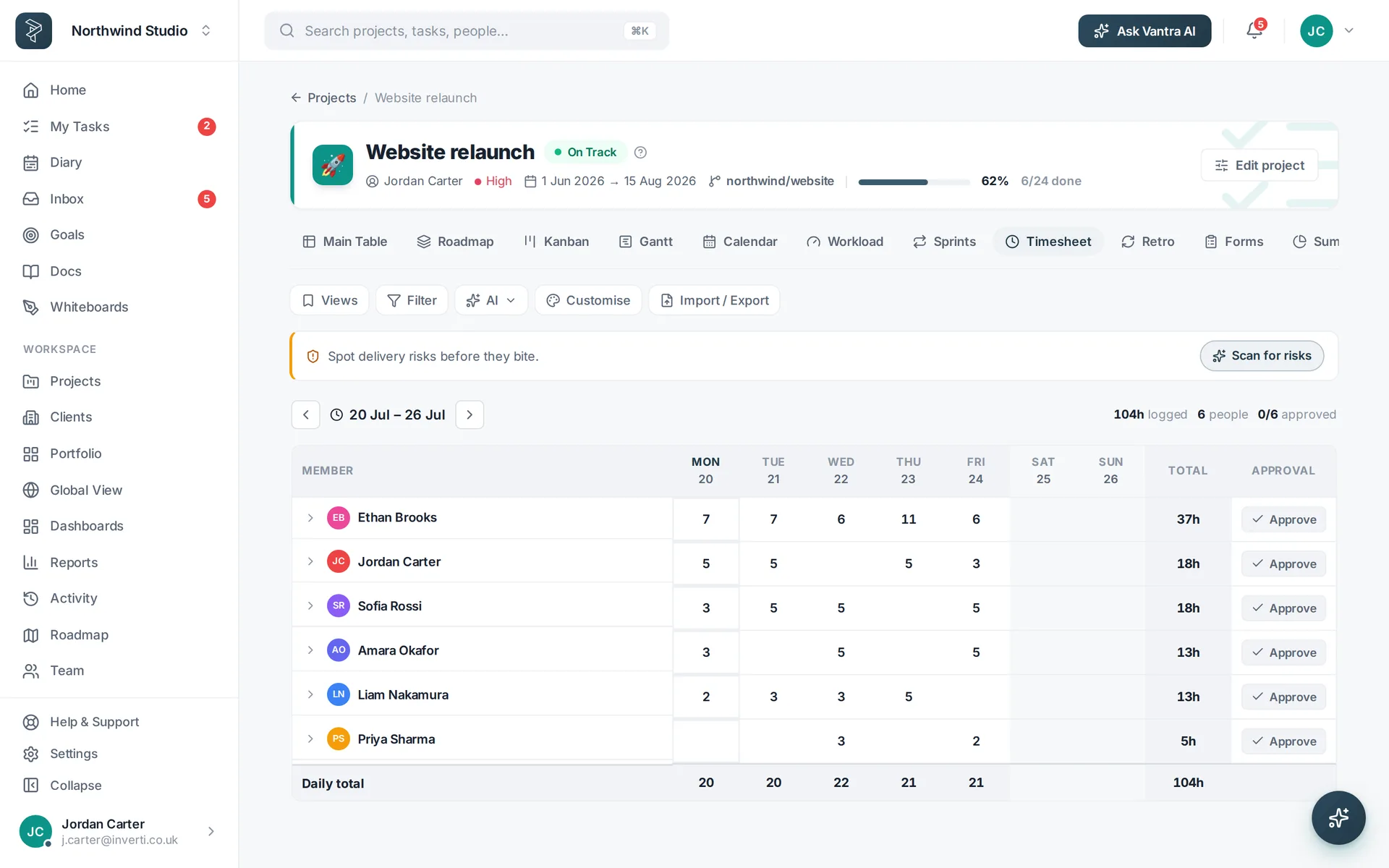
A weekly timesheet grid with logged hours per person.
Weekly timesheets & approvals

Submit, review, approve — done

Every person gets a weekly timesheet that fills itself from their logged time. Submit for review, and managers approve or send it back.

  • Auto-filled weekly grid from logged time
  • Submit & approve with a clear status per week
  • Per-person totals across projects at a glance
See timesheets
A timesheet ready to submit for approval.
From hours to budget

Turn logged time into real numbers

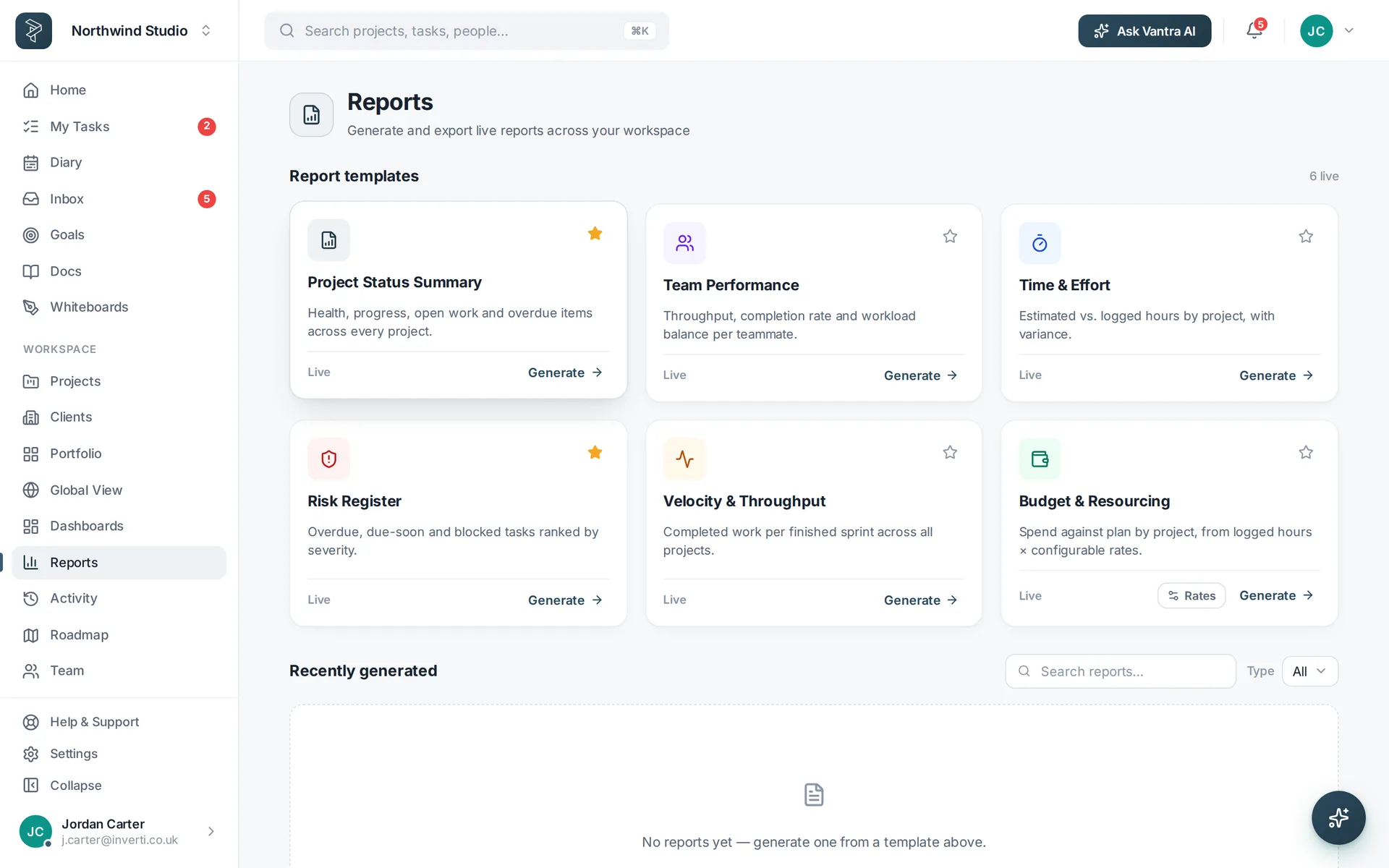
Set rates per member or project and Vantra turns logged hours into spend against plan — so budgets reflect what actually happened.

  • Day, hourly or fixed rates per member or project
  • Budget & Resourcing report — spend against plan
  • Billable vs internal split for client work
See reporting
A budget and resourcing report built from logged hours and rates.
Built for real delivery

Everything the timesheet needs

Estimates, approvals and rates — the pieces that make tracked time actually useful.

Estimates vs actuals

Every task carries an estimate; logged hours sit beside it so overruns show up early.

Approvals workflow

Weekly timesheets are submitted, reviewed and approved — or sent back with a note.

Billable rates

Day, hourly or fixed rates per member or project feed straight into budget reporting.

How it works

Track time in three steps

Log time on a task

Run a timer or enter hours — right where the work lives.

Submit the week

Your timesheet fills from logged time; submit it for review.

Approve & report

Managers approve, and logged hours roll into budget and resourcing reports.

FAQ

Questions about time tracking

How do people log time?

Log time against any task — with a running timer or by entering hours — and it rolls straight into that week's timesheet.

Is there an approval step?

Yes. Weekly timesheets can be submitted for review, and managers approve them or send them back.

Can I compare estimates to actuals?

Yes — every task carries an estimate, and logged hours sit right next to it so variance is obvious.

How does billing work?

Set day, hourly or fixed rates per member or project; the Budget & Resourcing report turns logged hours into spend against plan.

Know where the hours go.

Log time on the work, approve it weekly, and turn it into budget — no separate timesheet tool to reconcile.

Vantra Projects