Portfolio & workload

See every project — and everyone's load.

Roll every project up into one portfolio, spot the ones drifting off track, and balance the work across your team before anyone's buried — all from a single, live view.

Portfolio at a glance

The whole delivery picture, in one place

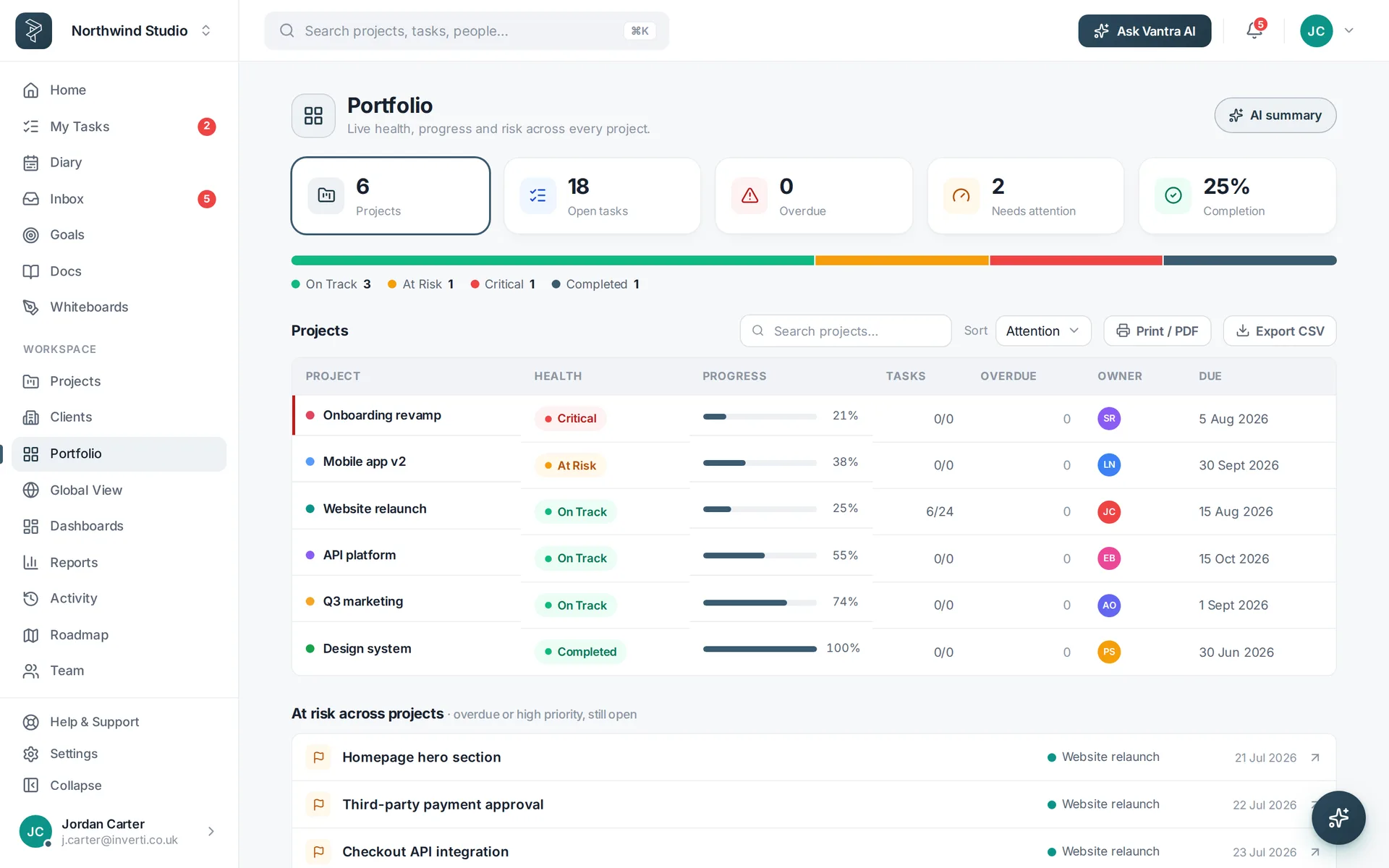
Every project rolled up with health, progress, owner and risk — so you can see what's on track and what needs attention without opening ten tabs.

  • Health & progress across every project at once
  • Owner & risk so attention goes where it's needed
  • Drill in to any project's board, timeline or tasks
See the portfolio
A portfolio view rolling up health and progress across every project.
Balance the workload

Nobody buried, nothing stalled

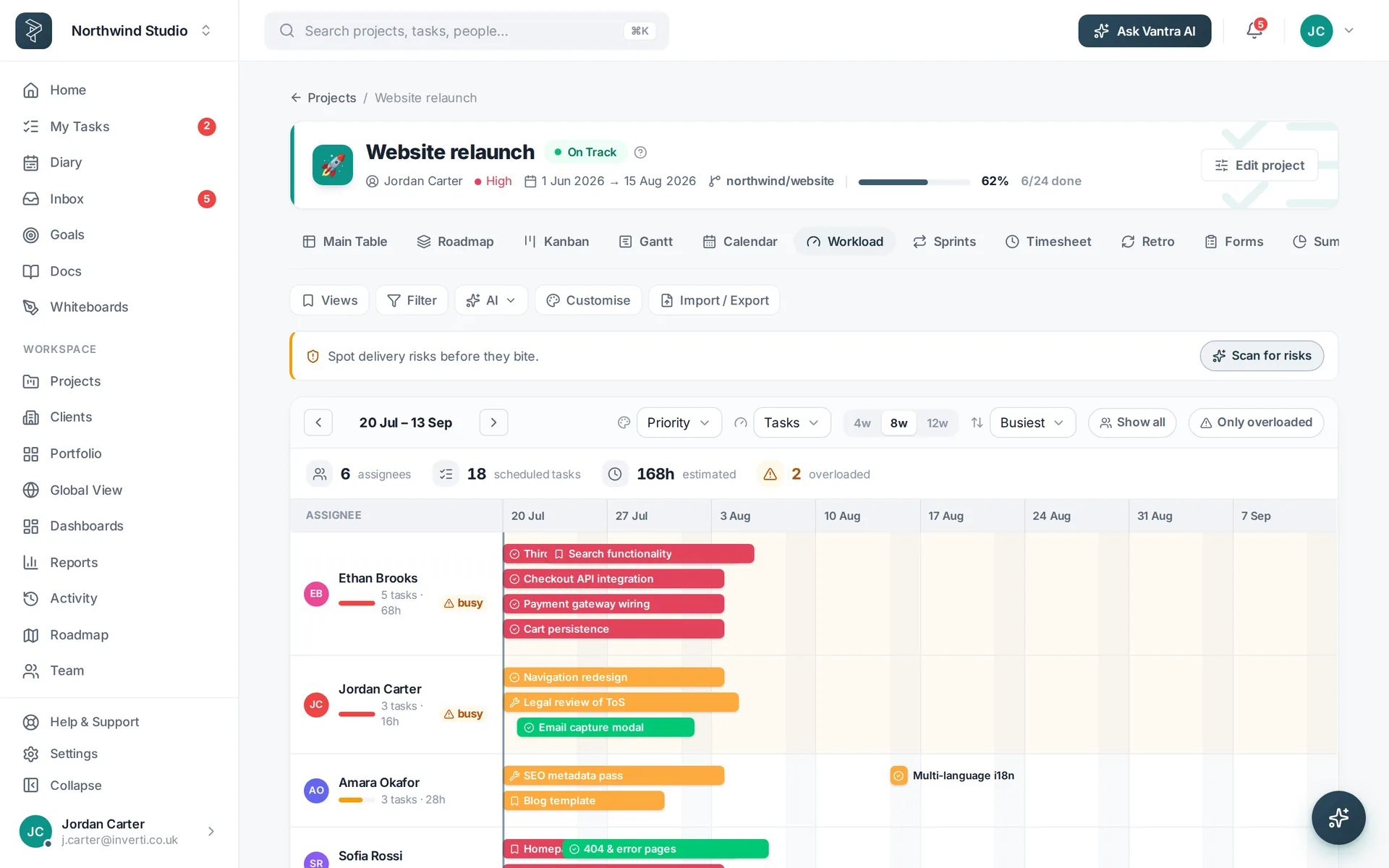
Workload shows each person's assigned work against their capacity, with over-allocation flagged — so you can move things before they slip.

  • Per-person capacity with over-allocation warnings
  • Rebalance by dragging work to who has room
  • Working-day aware so plans respect real availability
Balance the load
A workload view showing per-person capacity across a timeline.
Resource across projects

Plan capacity for the whole portfolio

Global workload spans every project at once, so you can resource people across the organisation — not just inside a single plan.

  • Cross-project workload in one view
  • Spot the crunch before it lands
  • Plan hires & capacity against real demand
Explore reporting
A global workload view spanning multiple projects.
For the people holding it together

Everything a portfolio needs

Roll-up, capacity and cross-project planning — the tools PMs and leads reach for.

Portfolio health

Health, progress and risk across every project, rolled up and always current.

Capacity planning

Per-person load against capacity, with over-allocation flagged before it bites.

Cross-project rollup

Plan and report across the whole portfolio, not one project at a time.

How it works

Run the portfolio in three steps

Roll projects up

Every project reports health and progress into one portfolio view.

Read the load

Workload shows who's over capacity and who has room.

Rebalance & plan

Move work to where there's room and resource across projects.

FAQ

Questions about portfolio & workload

What does the portfolio view show?

Every project in one place with health, progress, owner and risk — the whole delivery picture at a glance.

How does workload balancing work?

Workload shows each person's assigned work against their capacity, with over-allocation flagged so nobody's buried.

Can I plan capacity across projects?

Yes — global workload spans every project, so you can resource people across the whole portfolio, not just one plan.

Can I drill from the portfolio into a project?

Yes — click any project to jump straight into its board, timeline or tasks.

Run the whole portfolio with confidence.

Every project's health in one view, everyone's capacity balanced — see the whole picture and act before things slip.

Vantra Projects