Forms & intake

Turn requests into tracked work.

Build a public intake form in minutes and let every submission land as a task — mapped, routed and ready to work — so nothing arrives by email and gets lost.

Build it in minutes

A form as flexible as your fields

Pick the fields you need, mark what's required, and share a public link. No developers, no third-party form tool to wire up.

  • Any field type — text, select, date, number and more
  • Required fields & help text to get clean submissions
  • Public share link — no account needed to submit
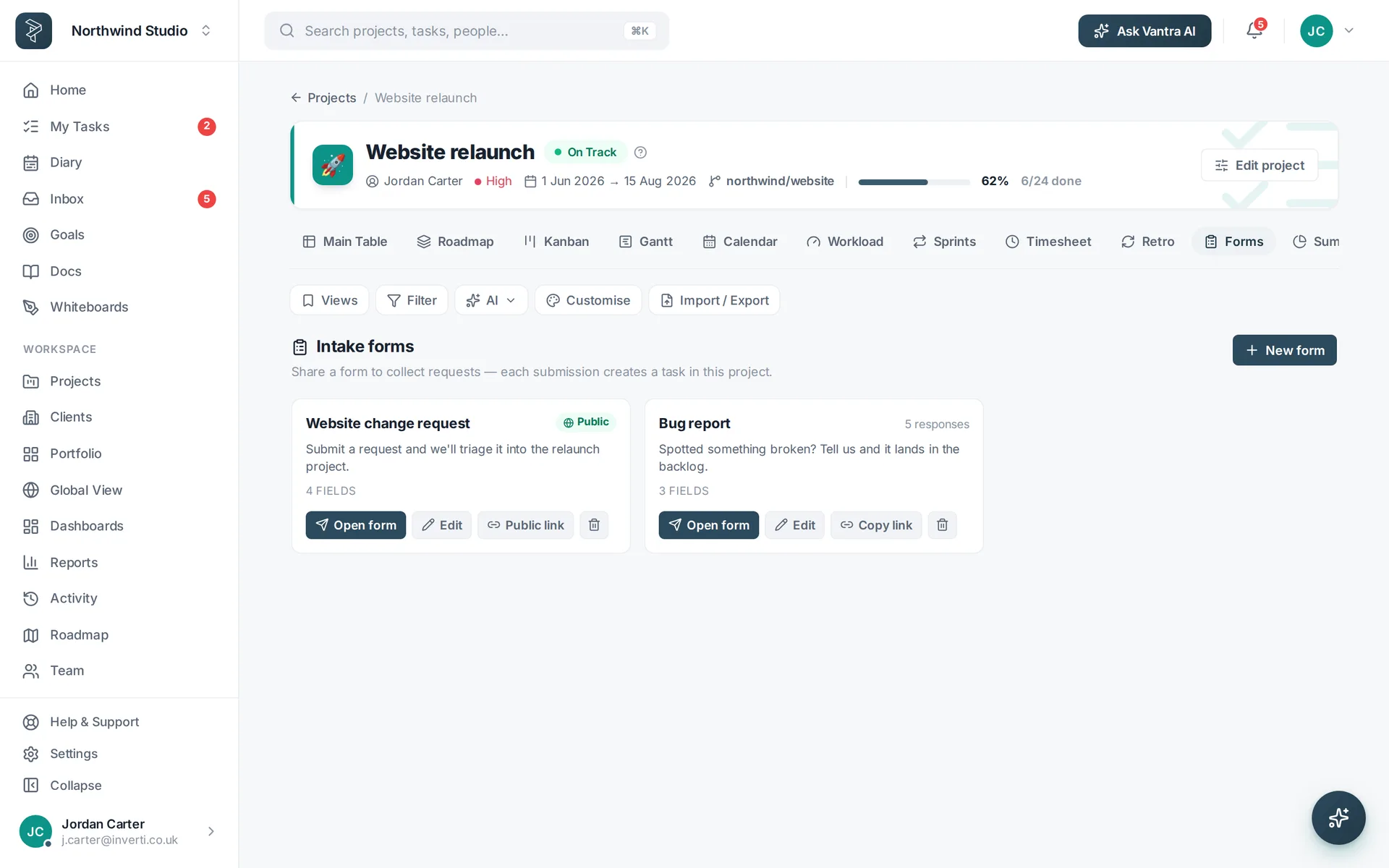
Build a form
A public intake form with configurable fields.
Every submission becomes a task

Intake that lands where the work happens

Choose the project a form feeds, and each submission arrives as a task with the answers mapped onto its fields — ready to triage on your board.

  • Answers mapped straight onto task fields
  • Lands in the right project, ready to work
  • Full history of who submitted what
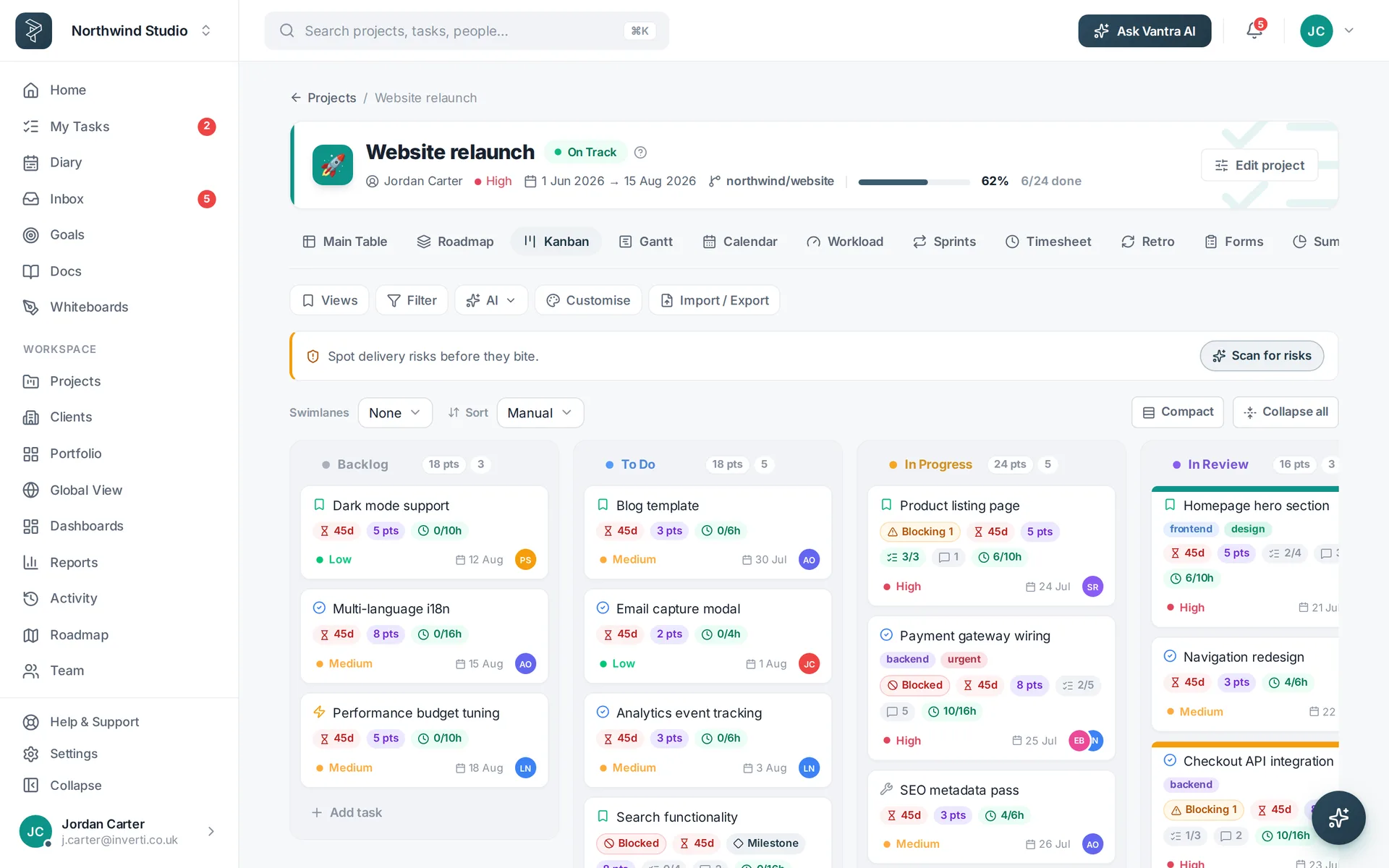
See it in action
Form submissions arriving as cards on a project board.
Triage & automate

Route requests without lifting a finger

Let automations do the first pass — set a status, assign an owner or bump priority the moment a submission lands, so intake never piles up.

  • Auto-assign & prioritise on submission
  • Set a status so new requests slot into your flow
  • Notify the right people as work comes in
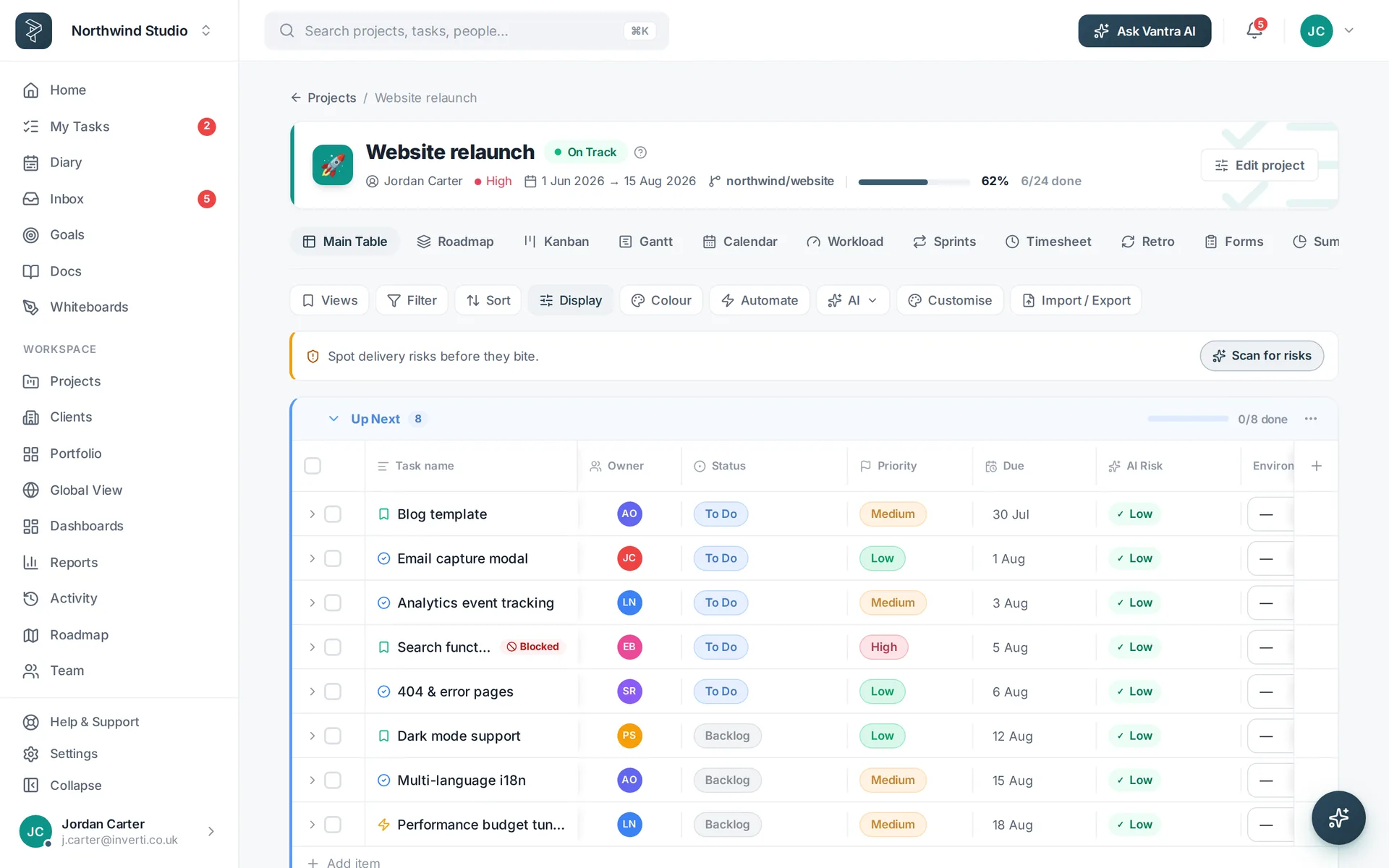
Explore automations
Incoming requests routed and prioritised in a table view.
One front door for work

Intake that behaves

From bug reports to client briefs — everything comes in the same tidy way.

Public share links

Share a form by link so clients and colleagues can send work in without a seat.

Field mapping

Answers map straight onto task fields, so submissions are ready to work — not retyped.

Auto-routing

Automations set status, assignee and priority the instant a request arrives.

How it works

Set up intake in three steps

Build your form

Add the fields you need and mark the required ones.

Share the link

Send the public link — no account needed to submit.

Work the requests

Submissions land as tasks, routed and ready to triage.

FAQ

Questions about forms & intake

What can a form capture?

Any of your field types — text, select, date, number and more — with required fields and a public share link.

What happens when someone submits?

The submission becomes a task in the project you choose, with the form answers mapped straight onto its fields.

Can I route or auto-assign submissions?

Yes — automations can set a status, assignee or priority the moment a submission lands.

Do submitters need an account?

No. Forms are public by link, so clients and colleagues can send work in without a seat.

Stop losing requests in email.

One public form, every submission a tracked task — mapped, routed and ready to work.

Vantra Projects