Support

Stuck? We've got you.

Ask a question and get an instant answer, or email the people who actually build the product — a human usually replies within one business day.

Humans, not bots Replies within one business day Support on every plan Prefer email? support@vantrasoftware.com
<1 daytypical first reply
Mon–Frisupport hours (UK)
100%of plans include support
9step-by-step guides
24/7help centre & live demo
Ways to get help

Pick whatever's easiest

Self-serve answers for the quick stuff, real people for everything else.

Quick fixes

Fix it yourself in two minutes

Four things that solve most "it's broken" emails before you've even sent one.

  • Blank screen after an update? Fully close the tab (or quit the desktop app) and open it fresh — it picks up the new version.
  • Can't sign in? Use "Forgot your password?" on the sign-in page — reset links usually arrive within a minute.
  • Invite email never arrived? Check spam first, then ask whoever invited you to press Resend on the Team page's Invitations tab.
  • Demo acting oddly? Demo changes aren't saved — that's by design. A refresh resets it to a clean slate.
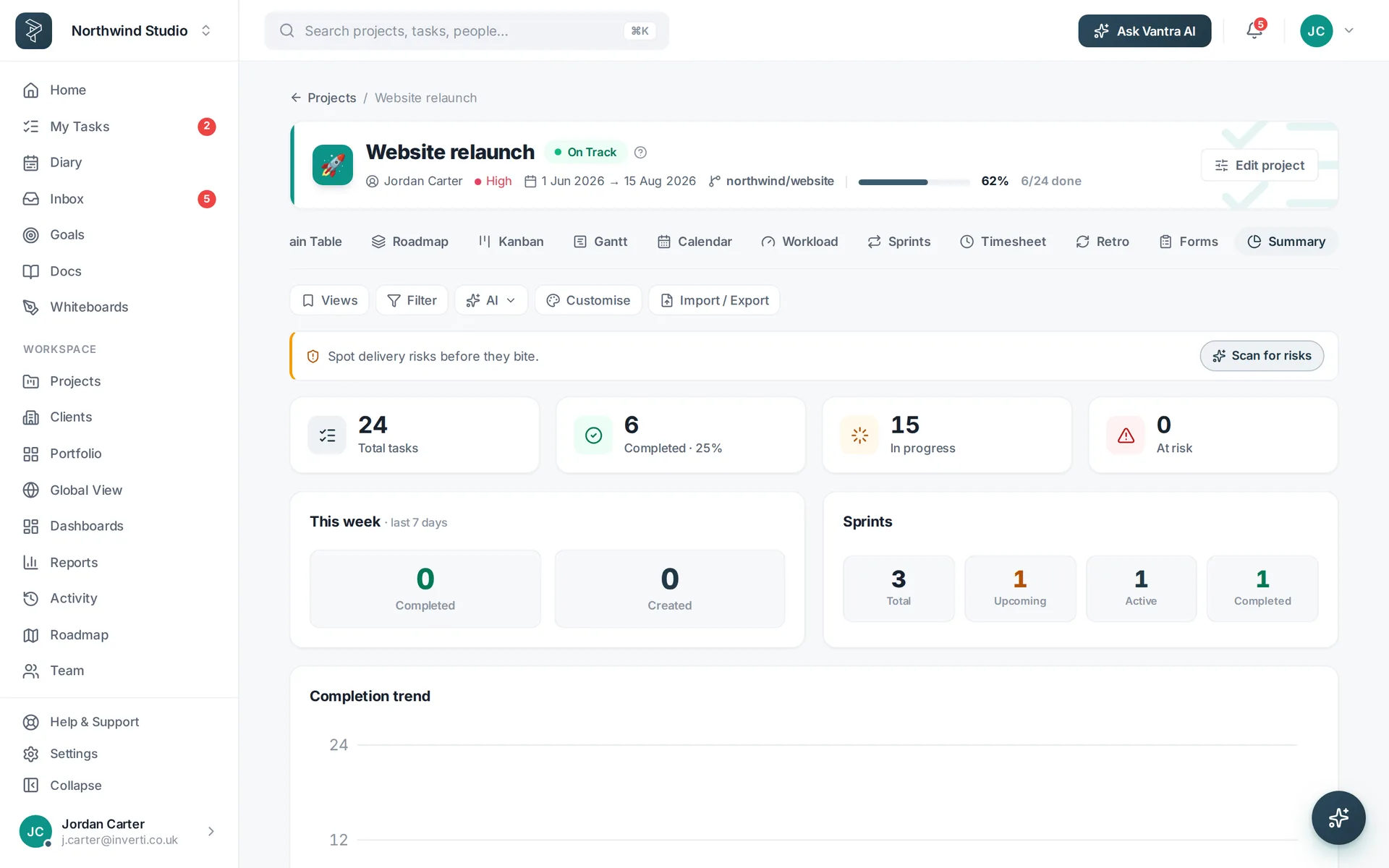
The Vantra Projects home summary view.
No ticket ping-pong

What happens when you email us

Your message goes straight to the product team — there are no tiers to climb.

Tell us what happened

Plain English is perfect, and the templates below give you a head start. A screenshot is worth a hundred words.

We dig in

Someone who builds Vantra Projects reads every message, reproduces the problem and checks the logs — the same day where we can.

You get an answer

A fix, a workaround, or an honest "not yet" with what we'll do about it. Bugs you report often ship fixed within the week.

Help us help you

Start with a template

A minute of detail up front usually saves a whole round-trip. These buttons open a pre-filled email in your mail app.

For a bug or something odd

  • What you did, what you expected, and what happened instead
  • Where — the project and view you were in
  • A screenshot or screen recording if you can
  • Your browser and whether it happens after a refresh

For account & billing

  • The email address you sign in with
  • Your workspace name
  • What you'd like changed — plan, seats, invoices or closing an account
  • Never include your password — we will never ask for it
Browse by topic

Jump straight to your question

The areas people write in about most, each with a direct route to the answer.

Learn the product

Guides that head off the questions

Fifteen minutes with the right playbook beats a week of guessing.

Trust & safety

Security reports and your data

Support FAQ

How support works

How fast will I hear back?

We usually reply within one business day, Monday to Friday. Security reports are treated with priority.

Is support included on every plan?

Yes — everyone gets email support and the help assistant, whatever plan they're on. There are no paid support tiers.

Do you offer live chat or phone support?

The fastest routes are the Ask-a-question assistant on this page and email. There's no phone line right now — but replies come from the team that builds the product, not an outsourced desk.

The app won't load or shows a blank screen — what should I do?

Fully close the tab (or quit the desktop app) and open it fresh — after an update, a tab that stayed open can briefly hold an old version. If it still won't load from a cold start, email us with whatever the browser console shows (press F12, then Console).

How do I report a security issue?

Email support@vantrasoftware.com with “Security” in the subject and as much detail as you can share safely. Please don’t post it publicly — see the security page for how we handle reports.

Can I request a feature?

Please do — feature requests genuinely shape what we build next. Tell us the problem you’re trying to solve, not just the feature, and we can often suggest something that already exists. Check What’s new first: it may have just shipped.

Can you help me get my data out?

Any list or project exports to CSV or PDF from the app. If you need more than that — a full export, or closing an account — email us and we'll help.

Do you have a desktop or mobile app?

Yes — a free desktop app for Windows, macOS and Linux that always runs the latest version. On your phone, the web app works in the browser and can be added to your home screen.

Where do I manage invoices and receipts?

Settings → Billing in the app opens the billing portal — download invoices, change your plan or seats, or update your card. If anything on an invoice looks off, email us and we'll put it right.

Something's broken in the live demo — should I report it?

Yes please! The demo is the real app, so anything odd there is worth a report. Remember demo changes aren't saved — that part is by design.

Still stuck? Talk to a human.

support@vantrasoftware.com goes straight to the people who build Vantra Projects — no bots, no outsourced desk, no ticket numbers to chase.

Vantra Projects