One workspace, not a stack

Every project, in one place.

Boards, Gantt, docs, goals, time and dashboards sharing the same tasks — so the plan, the work and the report never drift apart. Free for 30 days, no card.

30-day free trial No credit card Set up in minutes Cancel anytime
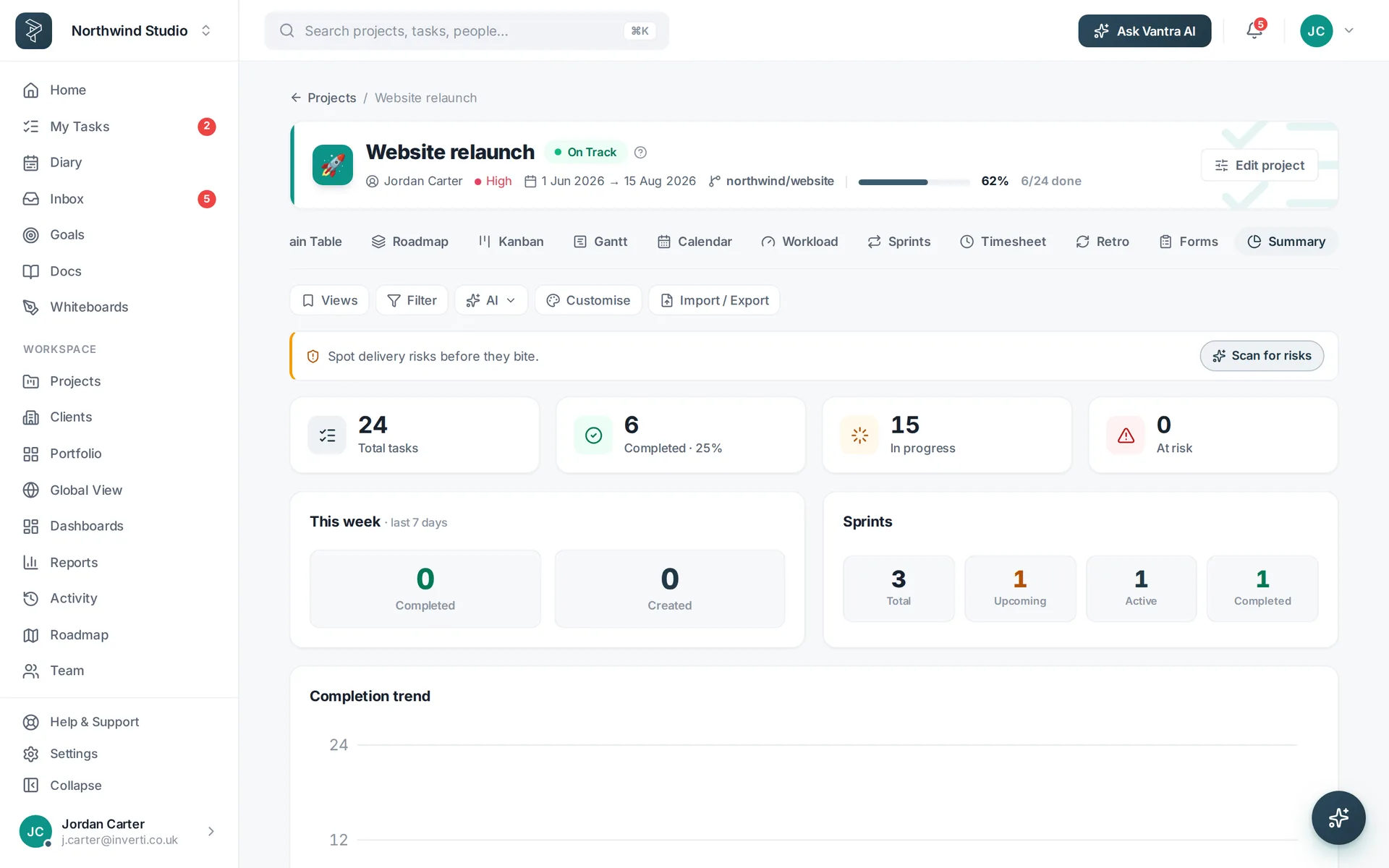
The Vantra Projects home summary: active projects, workload and what is due.
11views of your work
15project templates
9Vantra AI tools
28dashboard widgets
9integrations
The problem

Your project isn't in one place — it's in five

The board says one thing, the spreadsheet says another, and the status report is written from memory on a Friday afternoon.

The usual stack

  • A tracker for tasks, a second tool for docs
  • Goals in a slide deck nobody reopens
  • Time logged in yet another app
  • Friday status stitched together by hand
  • Five subscriptions, five places to look
  • Nobody sure which number is the real one

Vantra Projects

  • Eleven views over one set of tasks
  • Docs, whiteboards and goals beside the work
  • Time tracking and timesheets built in
  • Dashboards that update as work moves
  • One subscription, one login, one bill
  • One source of truth, by construction
One set of tasks

Everyone gets the view they think in

Your delivery lead wants a Gantt. Your engineers want a board. Your client wants a summary. Same data underneath — click through and see.

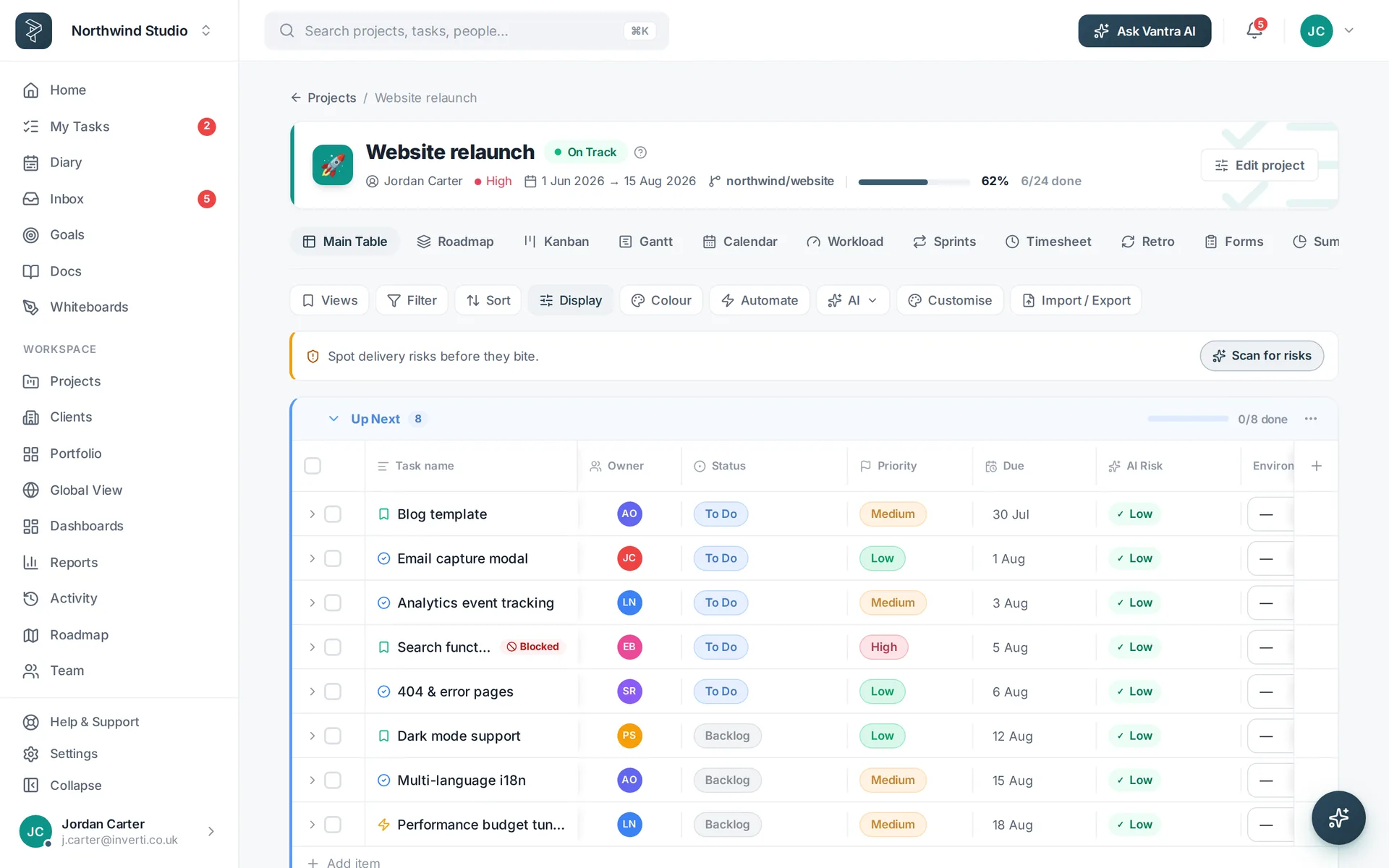
The Vantra Projects Main Table view.Main Table A spreadsheet grid with grouping, custom fields and inline edit.
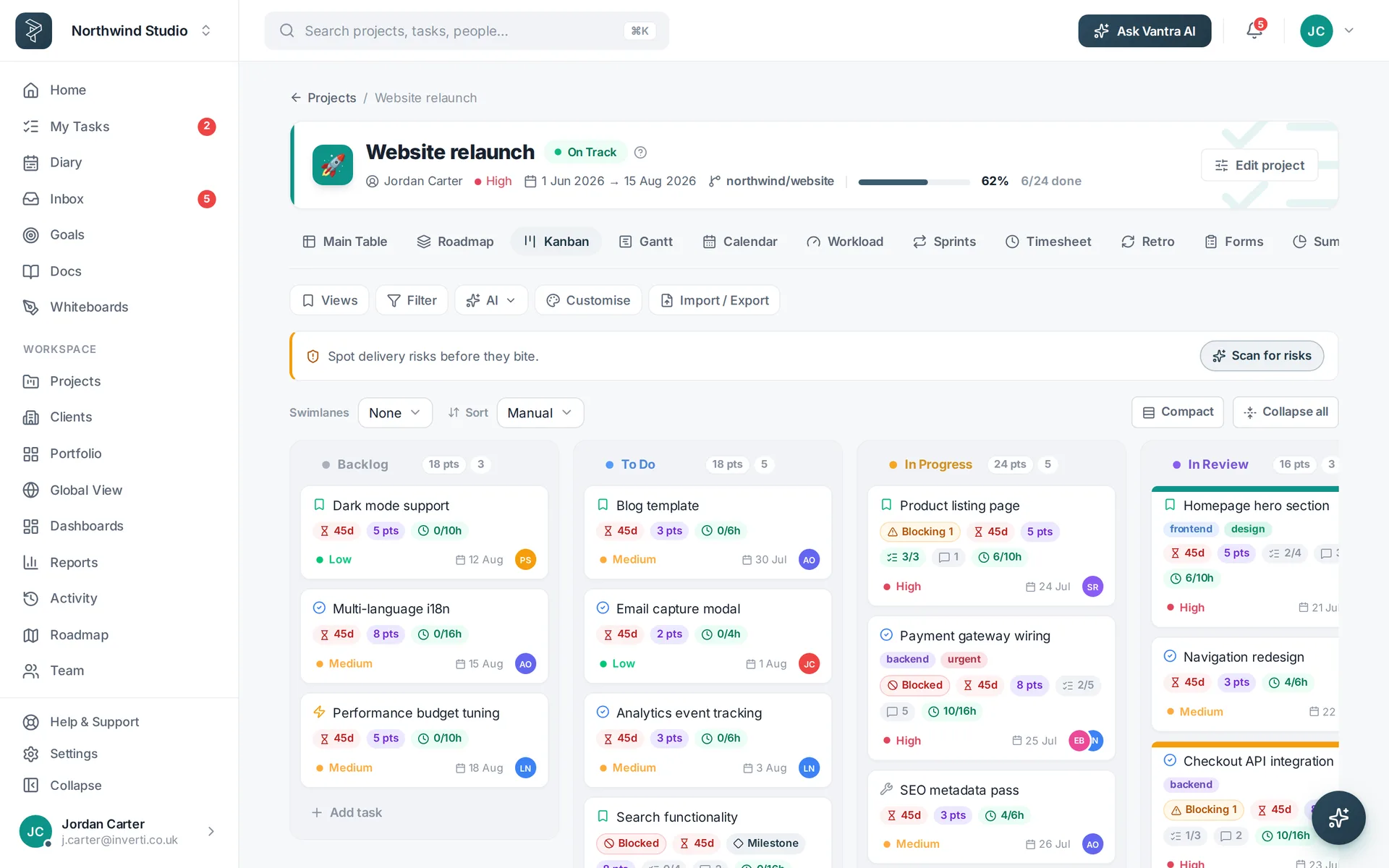
The Vantra Projects Kanban board view.Kanban board Drag work across your own stages, with WIP visible at a glance.
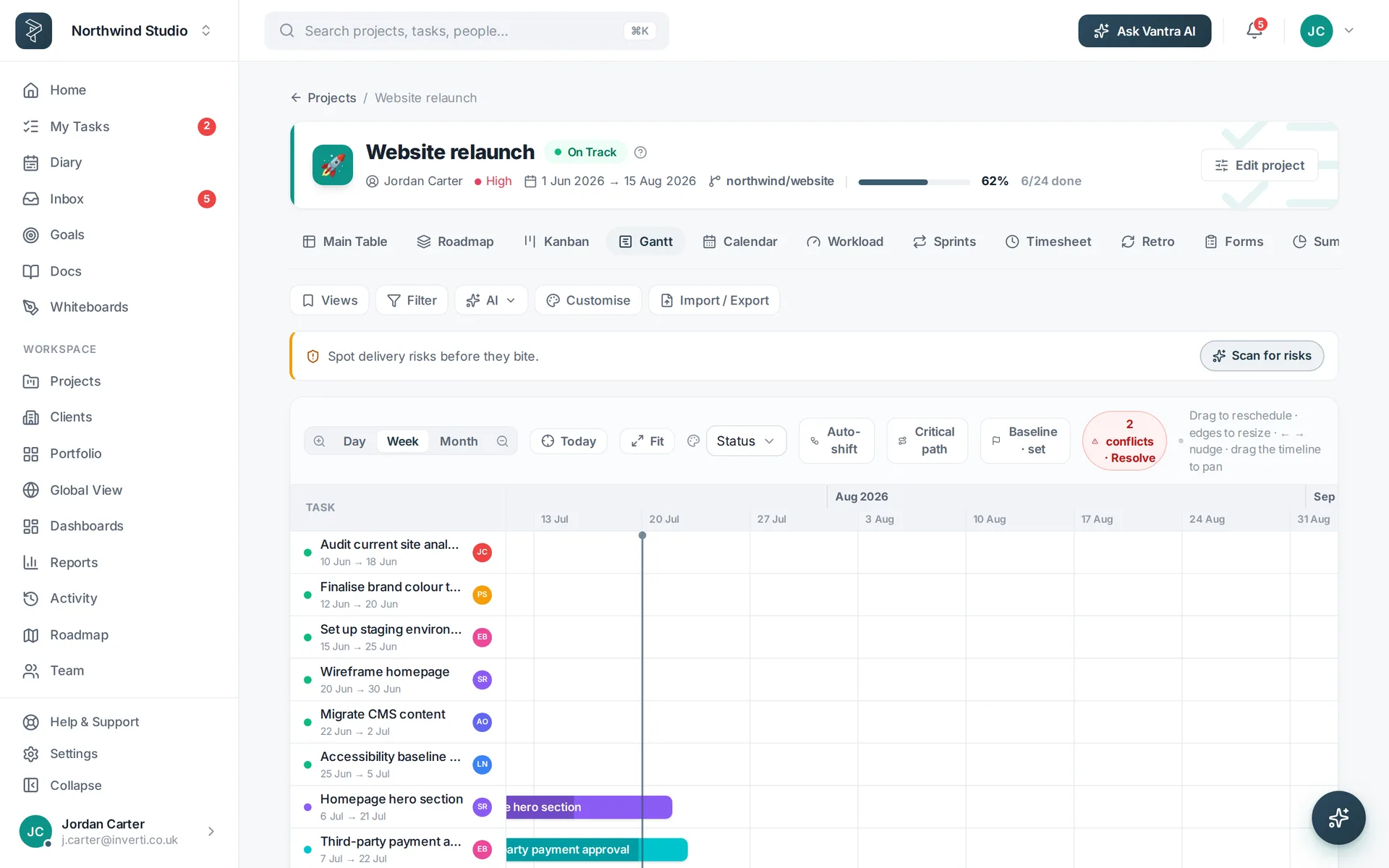
The Vantra Projects Gantt view.Gantt Dependencies, milestones and a critical path that keeps dates honest.
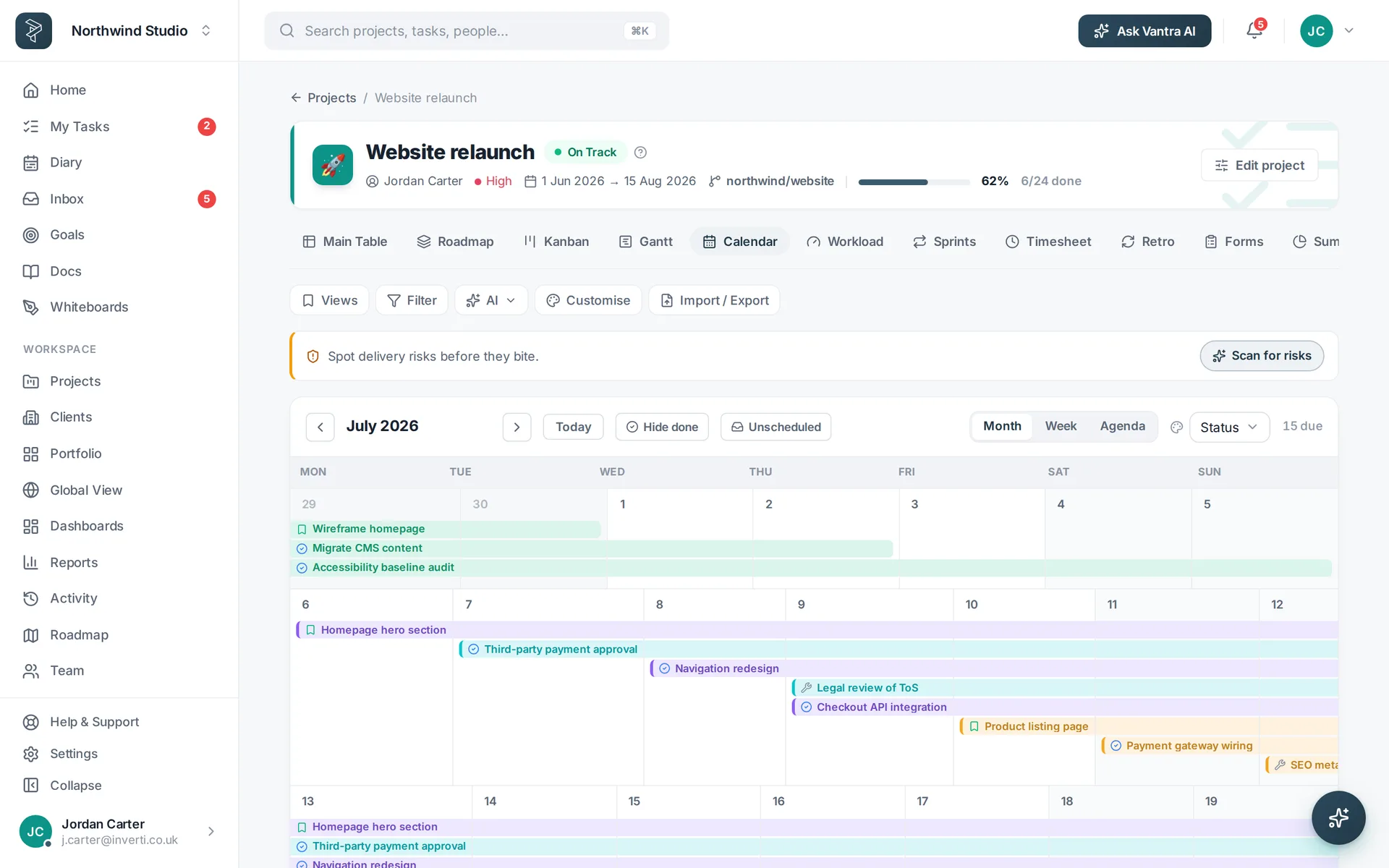
The Vantra Projects Calendar view.Calendar Due dates and milestones by month, week or day.
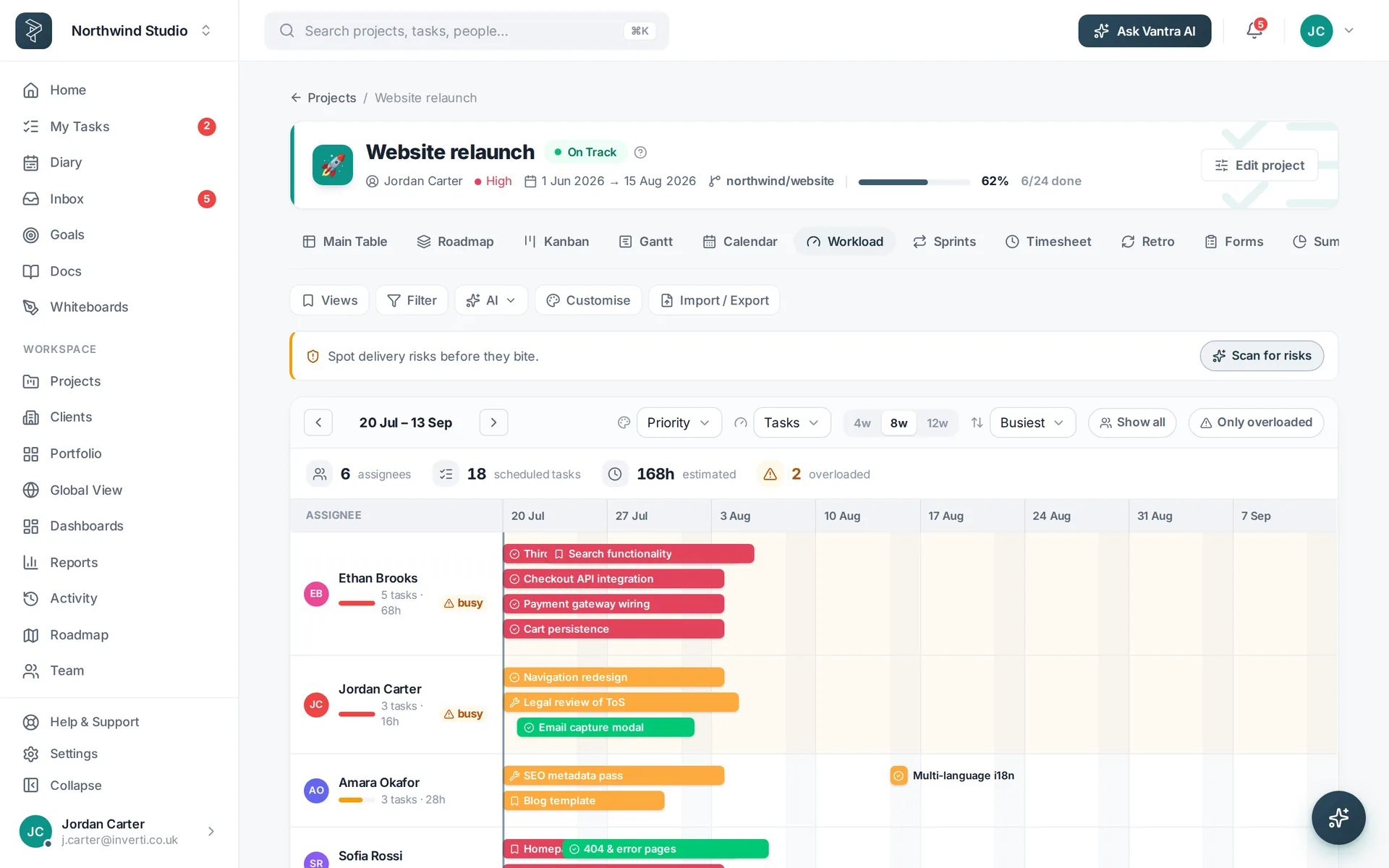
The Vantra Projects Workload view.Workload Capacity per person, so overload shows before it bites.
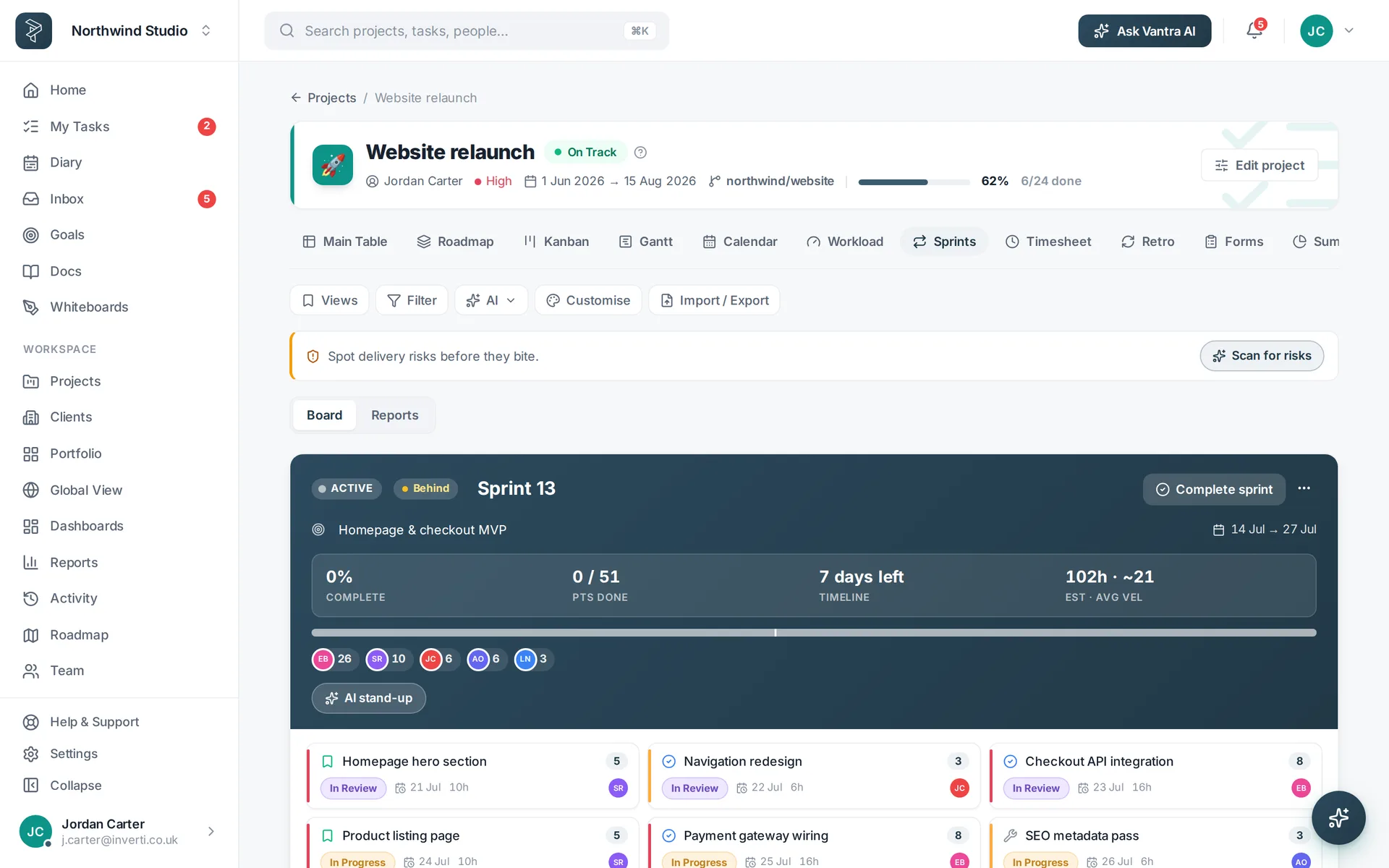
The Vantra Projects Sprints view.Sprints Backlog, points and a burndown for teams working in cycles.
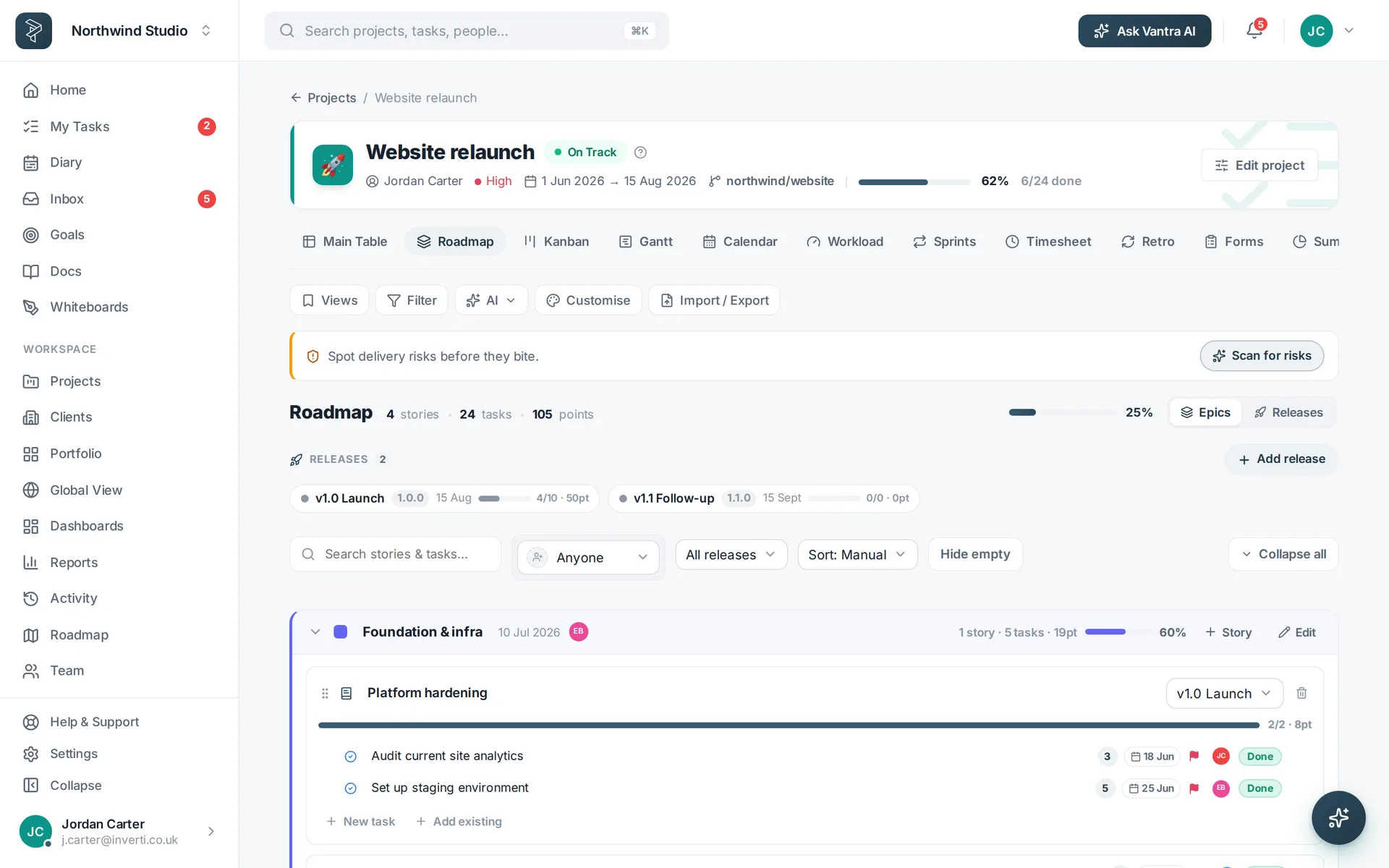
The Vantra Projects Roadmap view.Roadmap Releases, epics and stories with rollup progress.
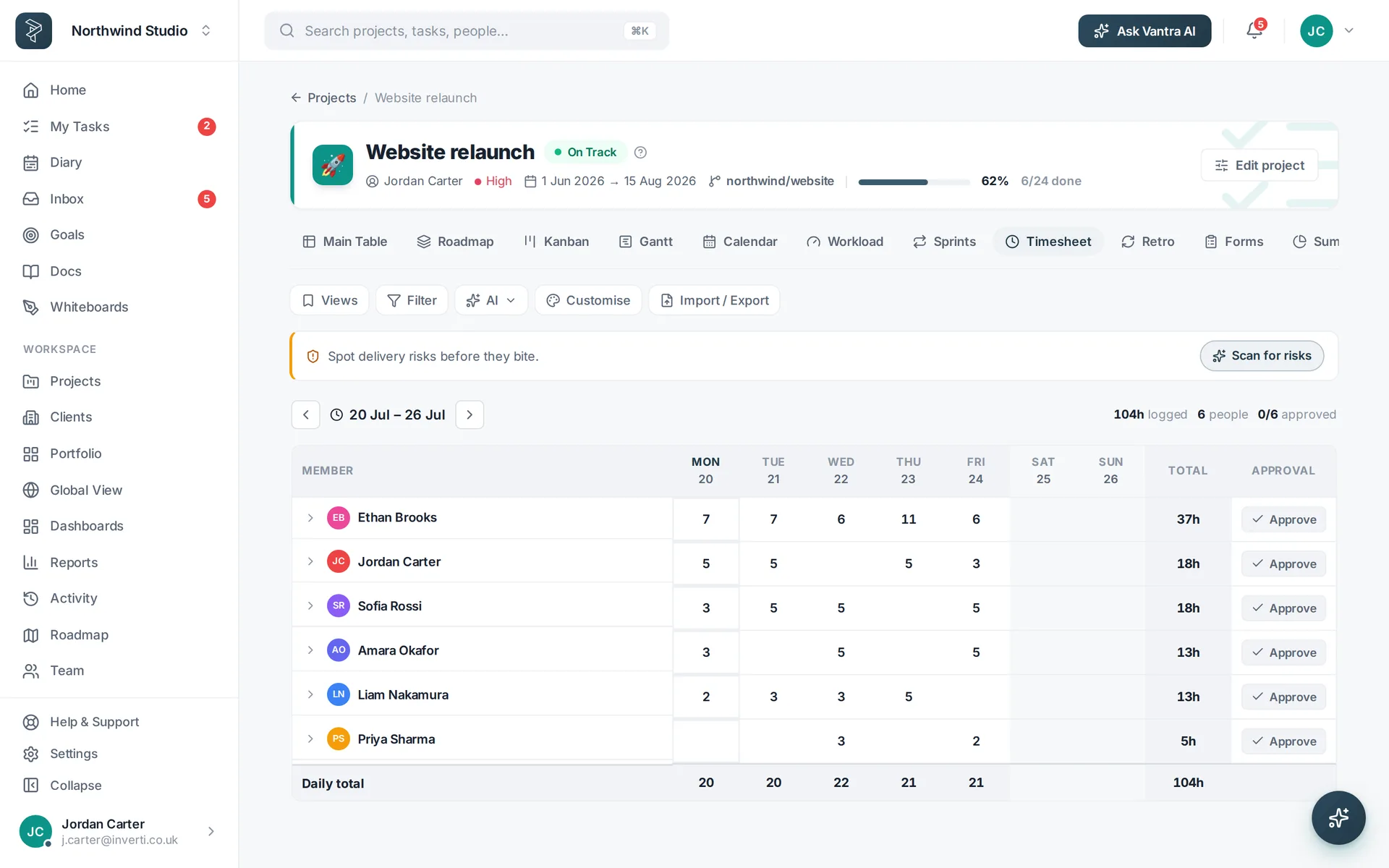
The Vantra Projects Timesheet view.Timesheet A weekly grid of logged hours, ready to submit and approve.
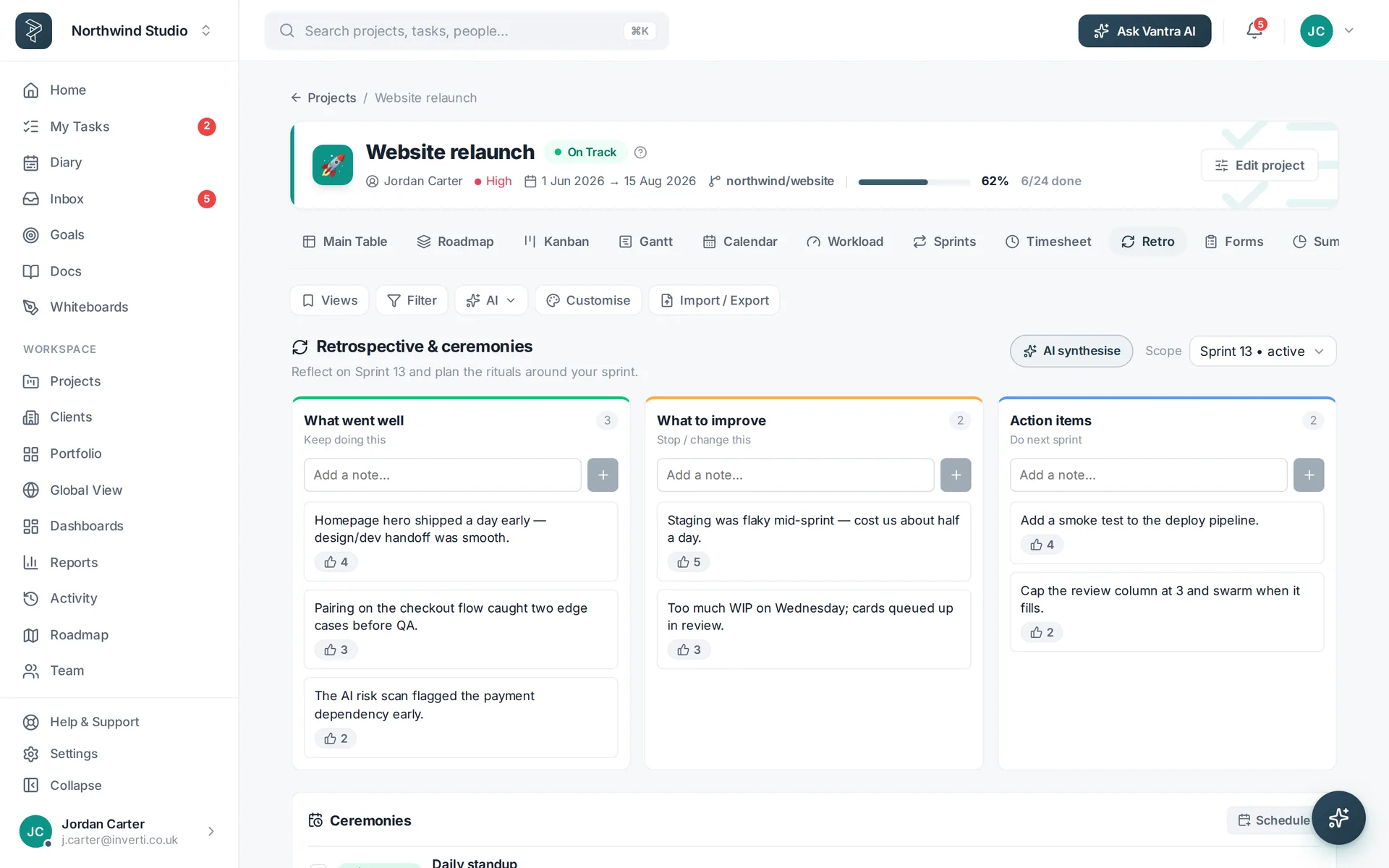
The Vantra Projects Retro view.Retro What went well, what didn't, and the actions that came out of it.
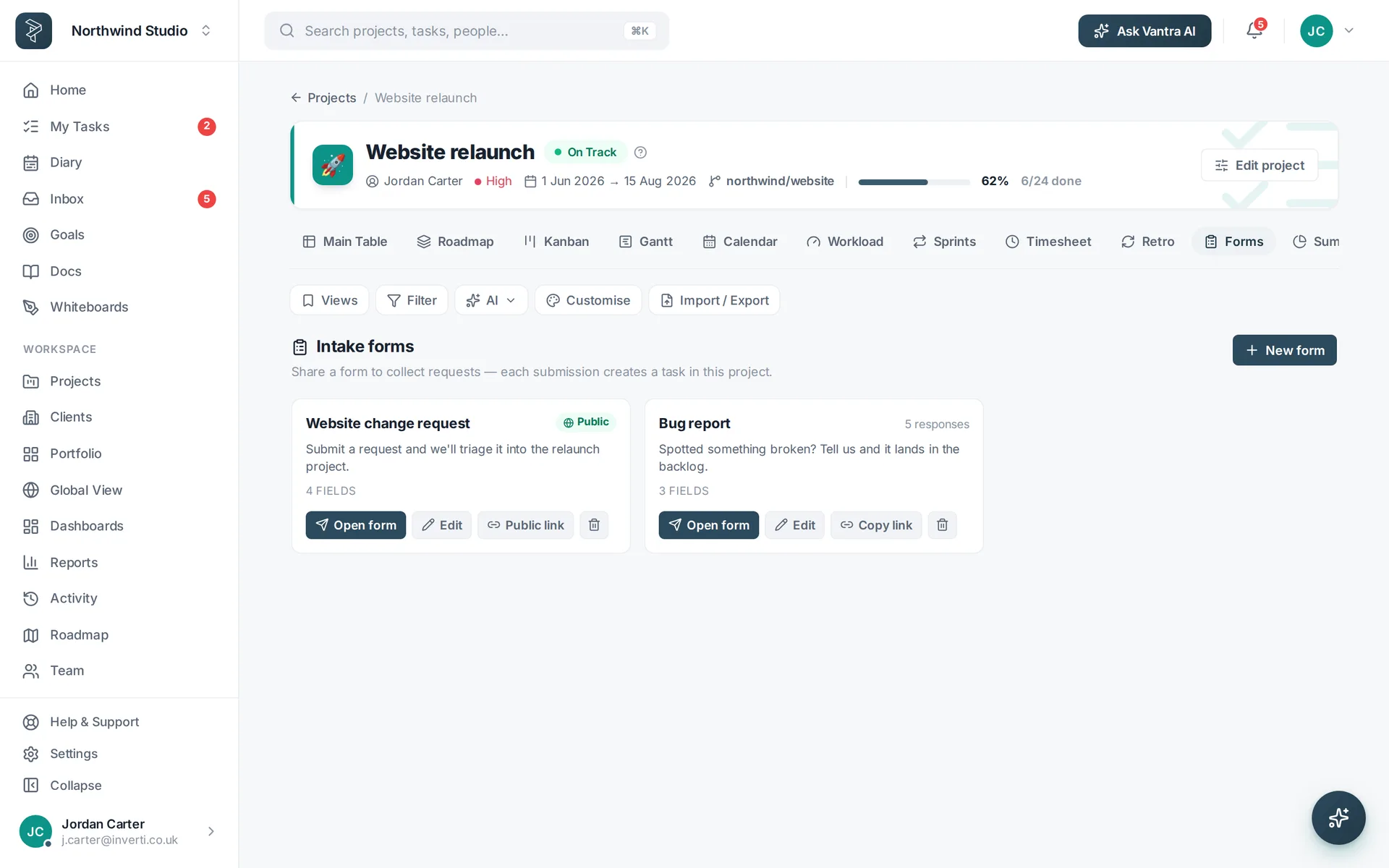
The Vantra Projects Forms view.Forms Public intake forms whose submissions arrive as triaged tasks.
The Vantra Projects Summary view.Summary The health of a project on one page, updating as work moves.
How it works

Live in an afternoon

No implementation project, no consultant, no six-week rollout.

Start from a template

Fifteen project templates with stages and starter tasks — or import what you already have from CSV. Vantra AI can draft the whole setup from a description.

Invite the team

Everyone sees the same tasks in whichever view suits them. Roles and per-project privacy mean clients and contractors see only what they should.

Let the reports write themselves

Dashboards and portfolio health update as work moves, so status is something you open — not something you assemble on a Friday.

Reporting that keeps itself current

Answer "where are we?" in one click

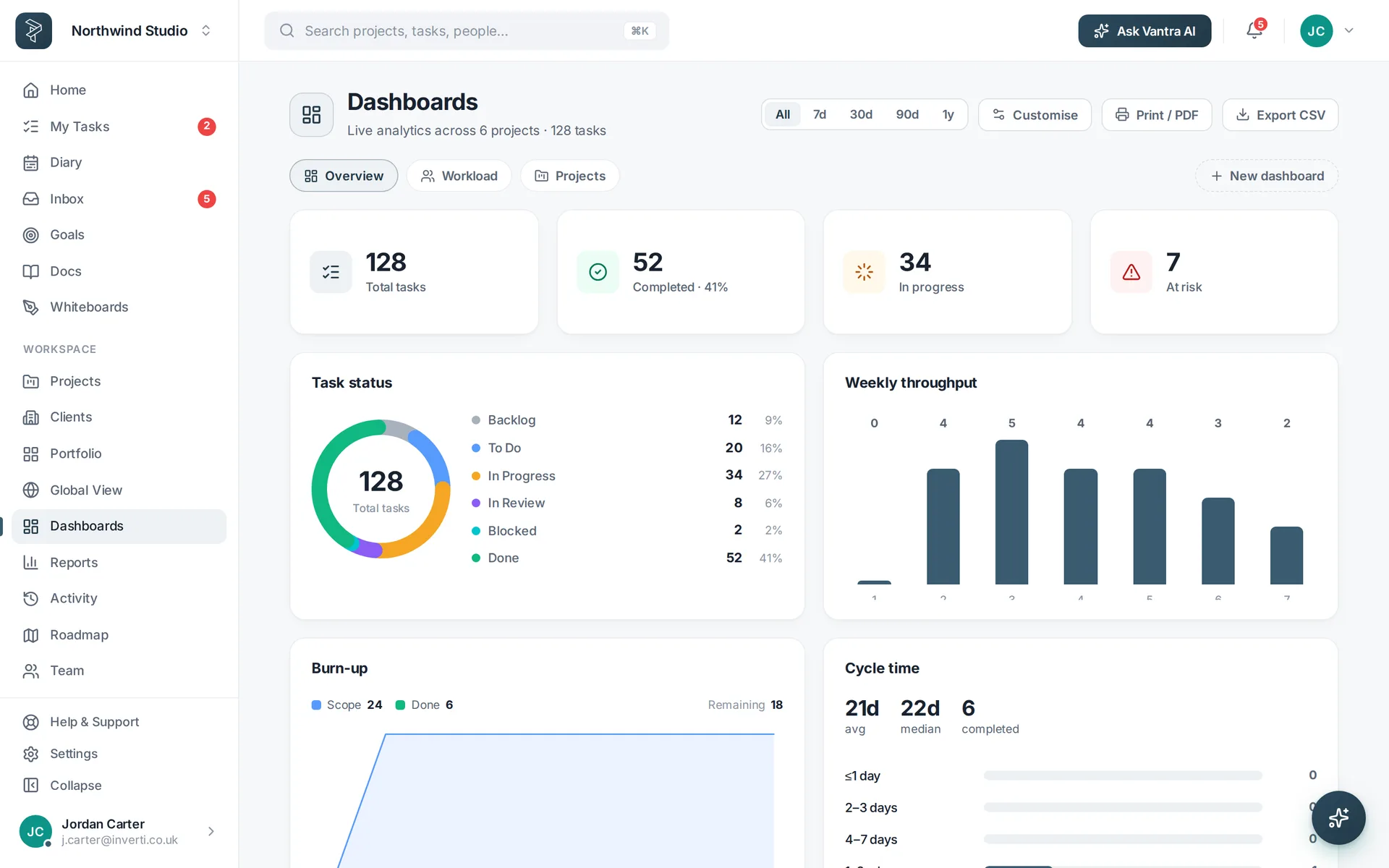
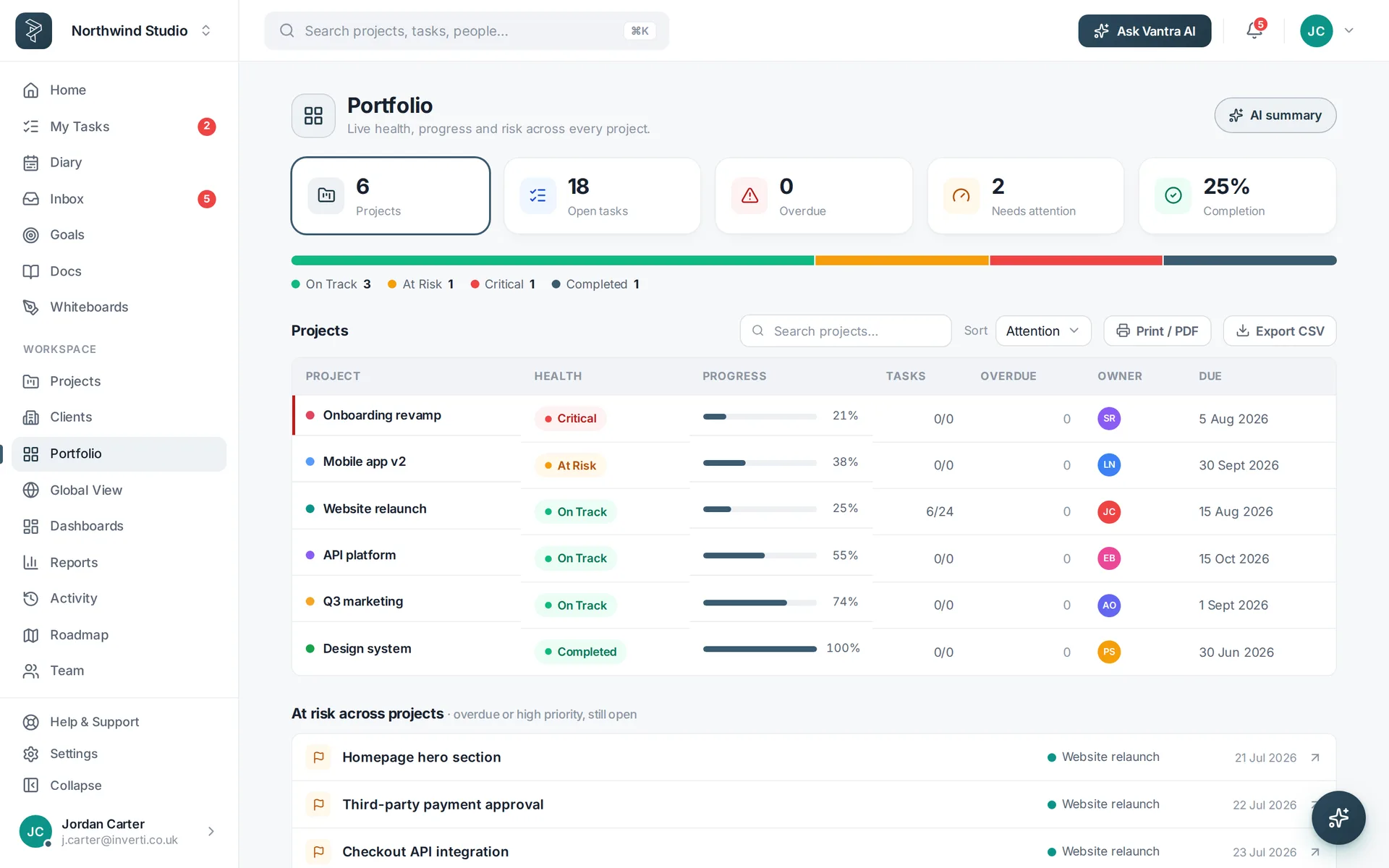
Twenty-eight widgets over live data — workload, burndown, budget, health by project. Build the dashboard once and stop rebuilding the deck.

  • Portfolio health across every project at a glance
  • Workload by person, so overload shows before it bites
  • Time and budget tracked against the estimate
  • Six report templates, exportable to CSV or PDF
A Vantra Projects dashboard of live project widgets.
The context, not just the tasks

Docs, goals and decisions beside the work

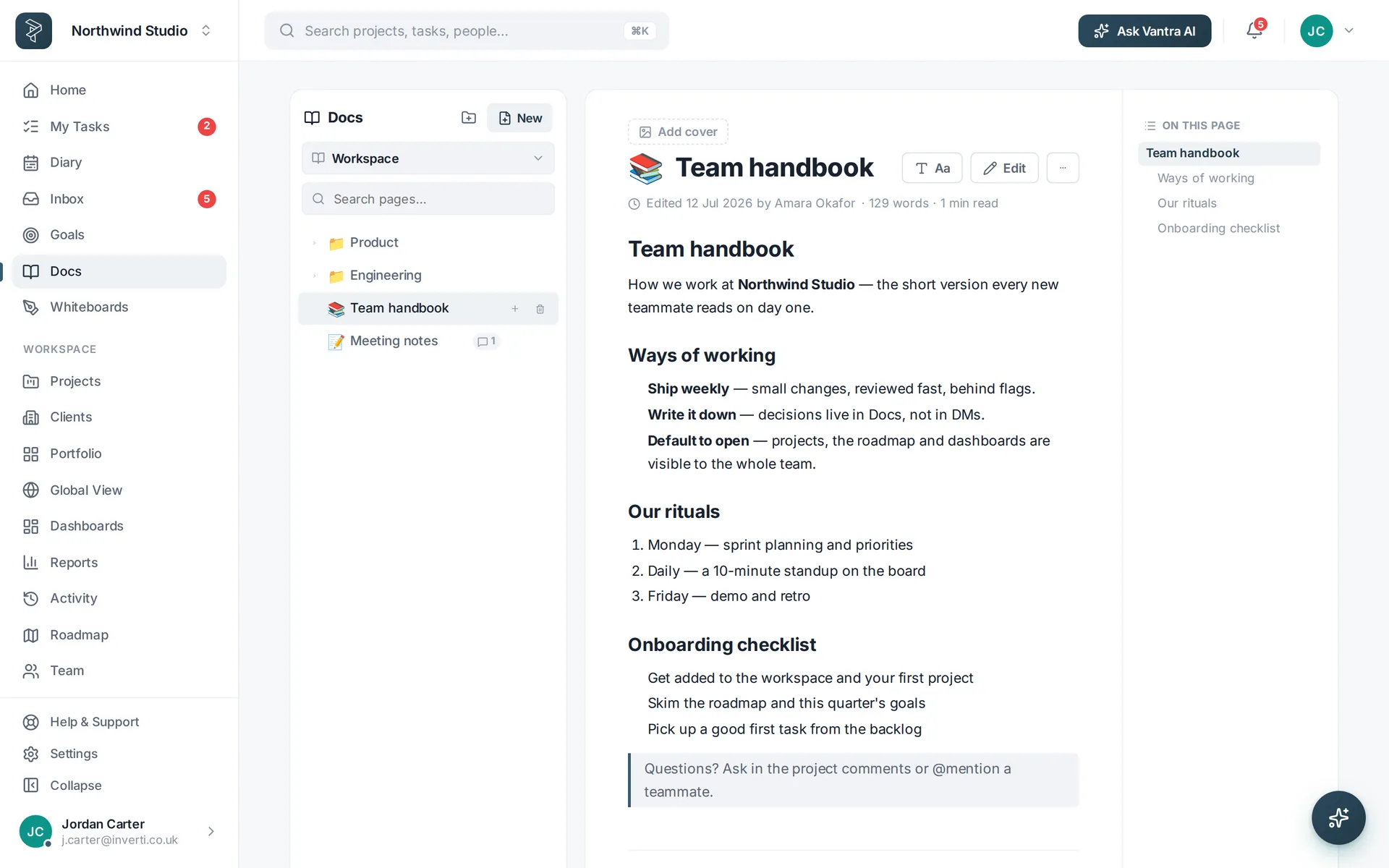
The spec, the retro and the objective it all rolls up to live in the same workspace as the tasks — so nobody hunts through a drive for the current version.

  • Rich docs and whiteboards with version history
  • Goals and OKRs that roll up automatically as work completes
  • Comments, @mentions and approvals on the task itself
A Vantra Projects doc with an outline and version history.
Vantra AI, included

A co-pilot that has actually read your projects

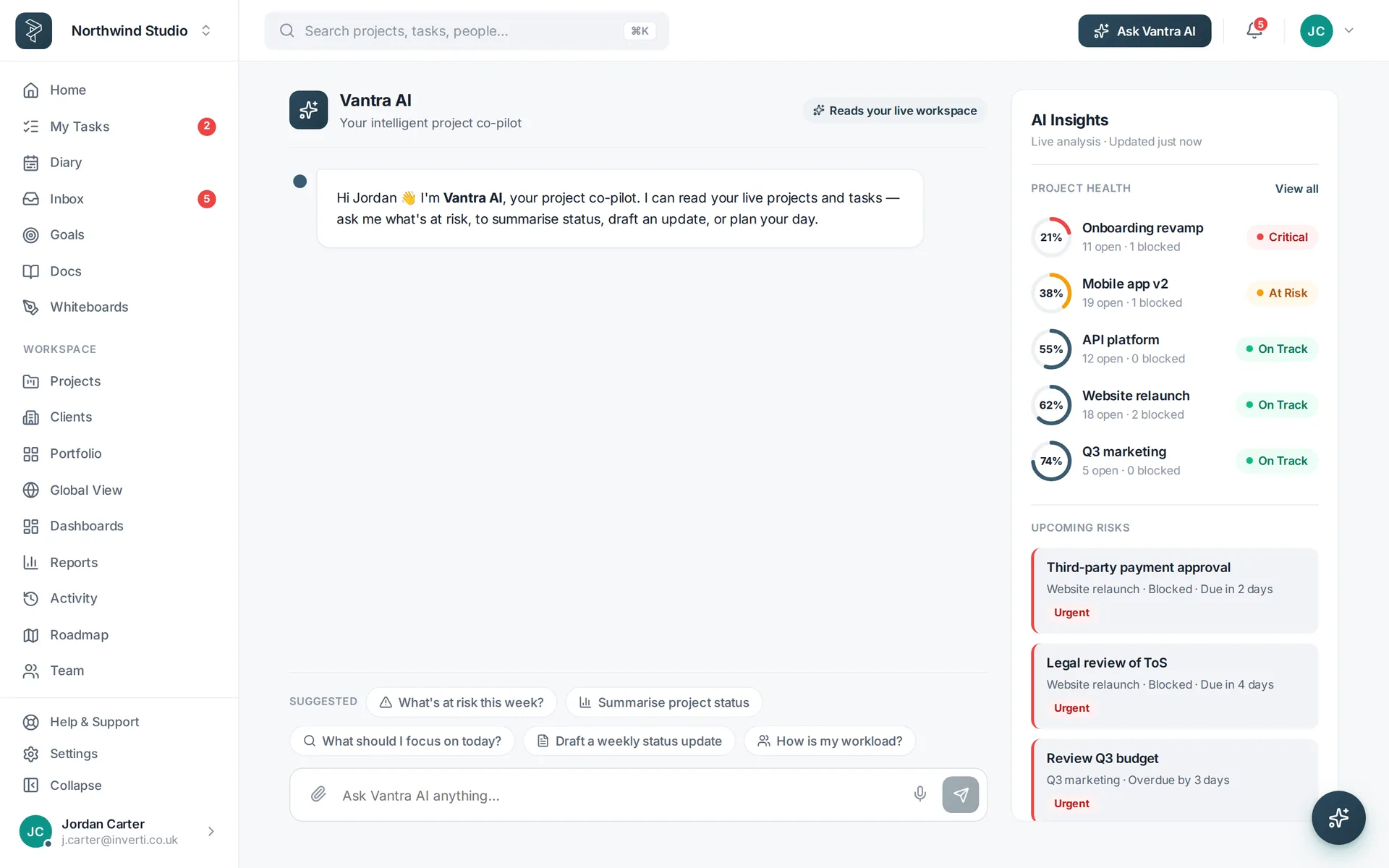
Grounded in your live workspace — projects, tasks, dates, health and who's carrying what. Nine tools, on every plan, with no AI key to configure.

  • "What's at risk this week?" — ranked, with the reason each item is flagged
  • Plan My Day — your open work, ordered by what actually matters
  • Brief in, tasks out — paste a spec and review the breakdown before anything is created
The Vantra AI co-pilot answering a question about project risk.
Set up for the way you deliver

However your team works

Same workspace, tuned differently. Pick the closest fit to see the views, fields and reports that team leans on.

Fits what you already run

Connected, not walled off

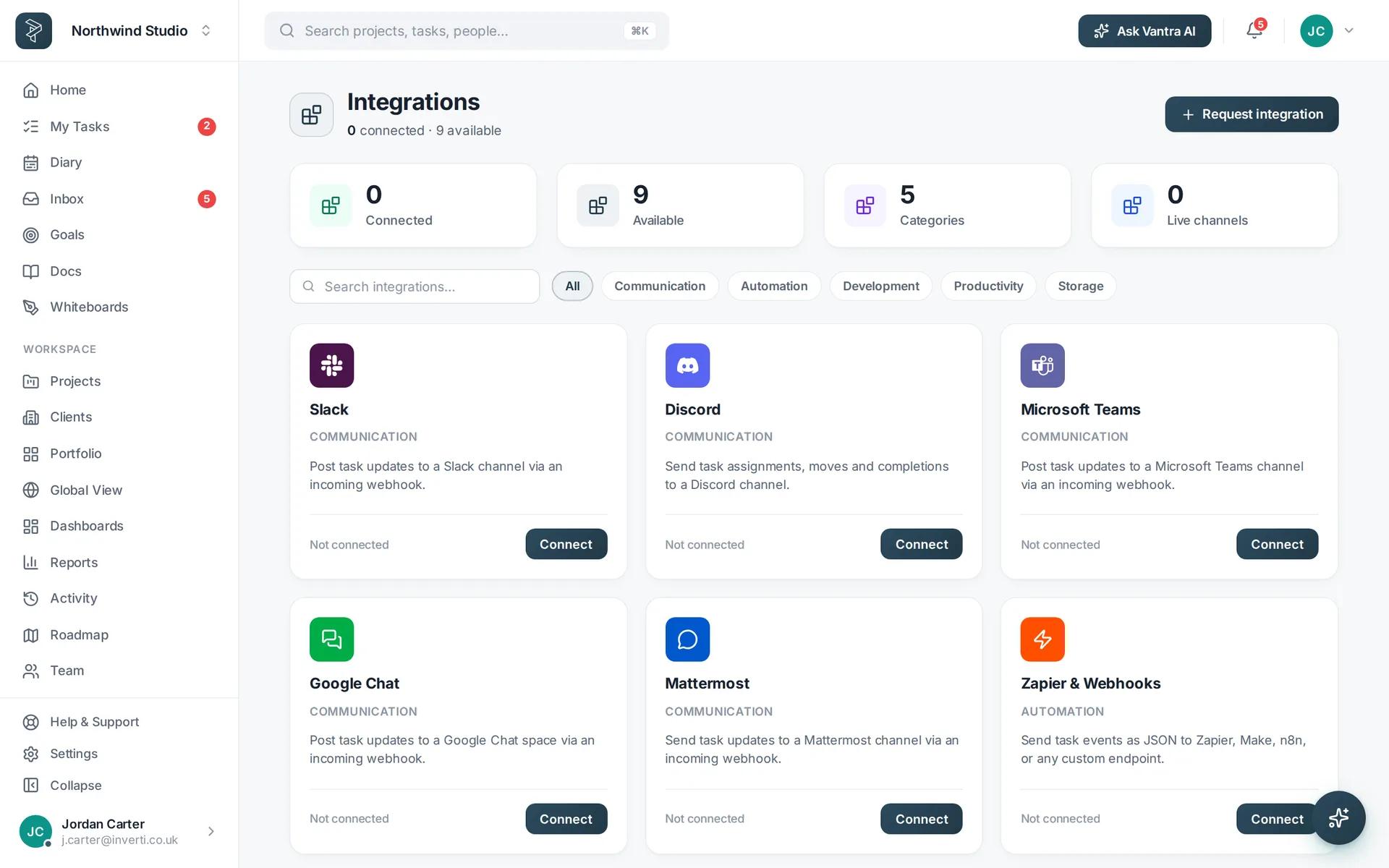
Link the work to the tools your team already lives in — and get out cleanly whenever you like.

  • GitHub — commits and PRs linked to tasks, closing them on merge
  • Slack, Teams, Discord, Google Chat — channel notifications that matter
  • Google Calendar & Drive — due dates as events, files on the task
  • Zapier, Make, n8n and webhooks — plus CSV in and CSV/PDF out
The Vantra Projects integrations settings page.
The honest bit

What usually worries people

Fair questions. Here are the straight answers before you spend a minute of your team's time.

"We've been burned by migrations"

Start with one project and keep your old tool running beside it. Import from CSV, export to CSV or PDF whenever you like — there's no lock-in to regret in a year.

"It'll be another thing to babysit"

Automations handle assigning, chasing and status-moving. Recurring tasks and intake forms mean routine work arrives already triaged.

"Our team won't adopt it"

Nobody has to change how they like to work — the board person and the spreadsheet person are looking at the same tasks, just differently.

"Is our data safe?"

Two-factor on every plan, encrypted in transit and at rest, hosted on Azure in the UK. The security page has the detail.

"We're not big enough for this"

Pro is built for small teams — five people, five projects, £9 a seat. No minimum contract, no onboarding fee and no annual commitment unless you want the discount.

"What if it isn't for us?"

Then you've spent nothing. The trial takes no card, and if you don't subscribe the workspace drops to Free with all your data intact.

Pricing

Try it free, pay when it sticks

Per seat, per month, in pounds. Every new workspace starts with a 30-day free trial of either plan — no card required. Prices in other currencies are on the pricing page.

Pro Most popular

£9 per seat / month — or £7 billed annually.

Up to 5 members and 5 projects across 3 workspaces, every view, sprints, time tracking, goals, dashboards, automations and up to 10 guests.

Business

£18 per seat / month — or £15 billed annually.

Unlimited members, projects, workspaces and guests, plus advanced analytics, client records and billing rates, approvals and admin controls.

See it for yourself

Open the live demo — no signup

Not a video, not a sandbox with three fake tasks. It's the real product on a seeded workspace, in your browser, right now. Nothing to install, no email, nothing left behind when you close the tab.

Worth trying in the first two minutes

  • Drag a task across the board, then switch to the Gantt and watch the same task move
  • Open the Workload view to see who's over capacity — the question every status meeting starts with
  • Ask Vantra AI "what's at risk this week?" and see it answer from the live workspace
  • Open a dashboard and see reporting that's already up to date

Nothing in the demo is saved — click anything.

The Vantra Projects demo workspace open on a board.
Before you decide

Questions we get asked

How long does it take to get going?

Minutes. Pick a template, invite your team and your first board is live — there's nothing to install and no configuration project. Most teams import a CSV of existing work on day one.

Do we have to move everything at once?

No. Most teams start with one project, keep their old tool running alongside, and move the rest once people are comfortable. CSV import and export mean you're never locked in either direction.

What happens when the free trial ends?

Nothing is deleted. Every new workspace gets 30 days of Pro or Business with no card required — pick a plan before it ends and you carry straight on. Leave it and the workspace pauses rather than disappearing: your projects, tasks and docs are all still there whenever you subscribe.

Will my team actually use it?

That's the usual risk with a new tool. Vantra Projects shows the same tasks in eleven views, so the person who wants a Kanban board and the person who wants a Gantt chart are looking at the same data — nobody has to adopt someone else's way of working.

Can we bring clients or contractors in safely?

Yes. Projects can be made private to named people or teams, and guests can be limited to what they need to see — ten guests on Pro, unlimited on Business.

Does it work on mobile and desktop?

There's a free desktop app for Windows, macOS and Linux that always runs the latest version, and the web app works in a phone browser and can be added to your home screen.

Is our data safe, and can we get it out?

Two-factor authentication is on every plan, data is encrypted in transit and at rest, and any list or project exports to CSV or PDF from the app. See the security page for the detail.

Can we see it before we commit?

You don't have to wait for one — the live demo is the real product with a workspace already full of projects, so you can explore it right now without an account. If you'd rather have a person walk you through it against your own workflow, email support@vantrasoftware.com and we'll set that up.

Try it on a real project this week

Thirty days of the full product, no card, nothing to uninstall if it isn't for you. Or open the live demo and click around first — no signup at all.

Vantra Projects portfolio view