1Start from the template gallery
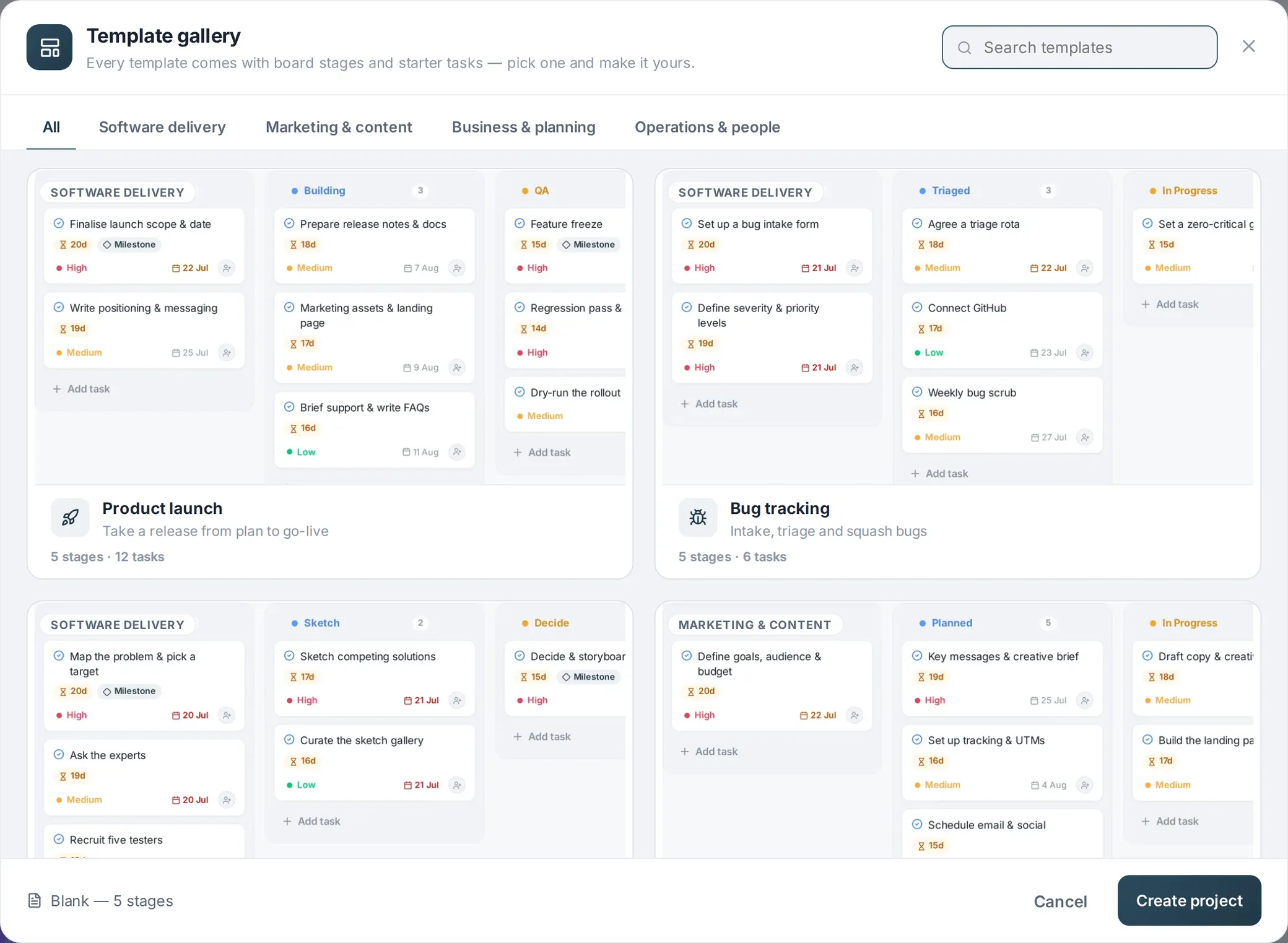
Click New Project and the template gallery opens first — fifteen ready-made setups with live board previews, from Agile sprint to Client onboarding. Pick the one closest to how you work (you can change everything later), or choose Blank to start clean. The template pre-fills the project name, board stages, starter tasks and any template-specific columns.
2Fill in the basics
In the details panel, give the project a name, colour and icon, set a start and due date if you have them, and pick an owner. If this project belongs to a bigger effort — a web app inside a product launch, say — use Part of to nest it under an umbrella project.
3Shape the table
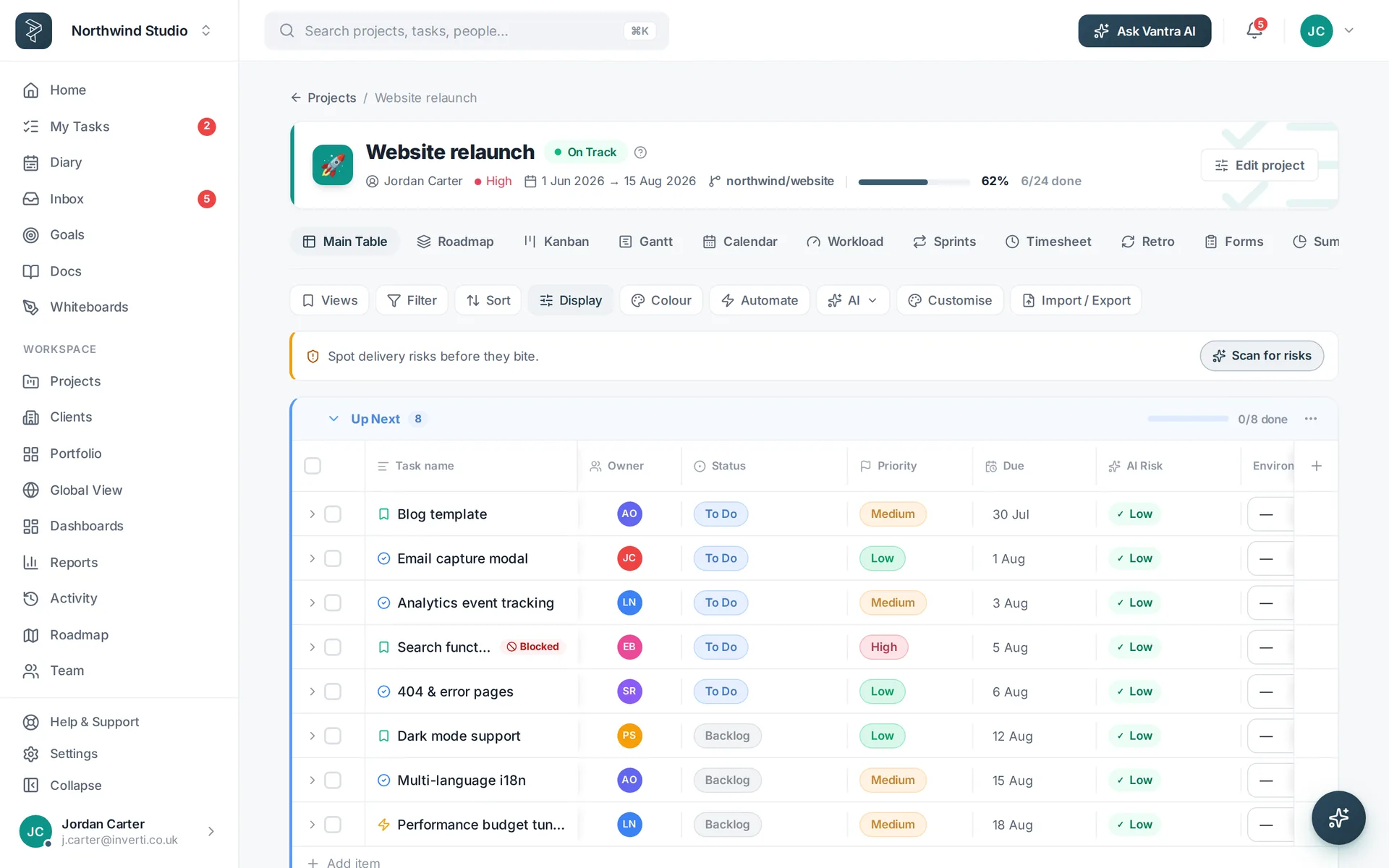
Open the Main Table and make the columns yours: rename any header in place from its menu, add custom fields (text, number, date, dropdown, checkbox or link), hide what you don't need, and drag whole group headers to reorder sections.
4Invite the team
Add teammates from the project's People tab or workspace settings. Everyone gets their own personal layout — column widths, ordering and saved views follow each person across devices without overwriting anyone else's.
5Pick your views
The tabs across the top — Kanban, Gantt, Calendar, Workload, Sprints and the rest — are all the same tasks. There's nothing to sync and nothing to re-enter; switch to whichever fits the moment.
Related: Templates · Work views — or try every step in the live demo →