Why Vantra Projects

One workspace, not a stack you stitch together.

Most teams run their work across a board tool, a docs tool, a spreadsheet, a time tracker and a chatbot — then spend half their time keeping them in sync. Vantra Projects puts it all in one place, on one set of data.

The swap

Five tools’ worth of work, one workspace

Most teams run a stack side by side. Here’s what changes when it all lives in one place.

The usual stack

  • A tracker for tasks, a second tool for docs
  • Goals living in a slide deck nobody opens
  • Time tracked in yet another app
  • Friday status stitched together by hand
  • Five subscriptions, five places to look

Vantra Projects

  • Views, docs, whiteboards & goals on the same tasks
  • Time tracking & timesheets built in
  • Dashboards & AI summaries that update themselves
  • Vantra AI flags risk before it bites
  • One workspace, one per-seat price
One place, not five tabs

Everything your team reaches for, together

Tasks, docs, dashboards, time, goals and AI all live in the same workspace and read the same data — so there's nothing to export, reconcile or keep in sync.

  • No integrations tax — the pieces already share one data model
  • One source of truth so a status is a status everywhere
  • Less tool sprawl, fewer seats, one bill
See the platform
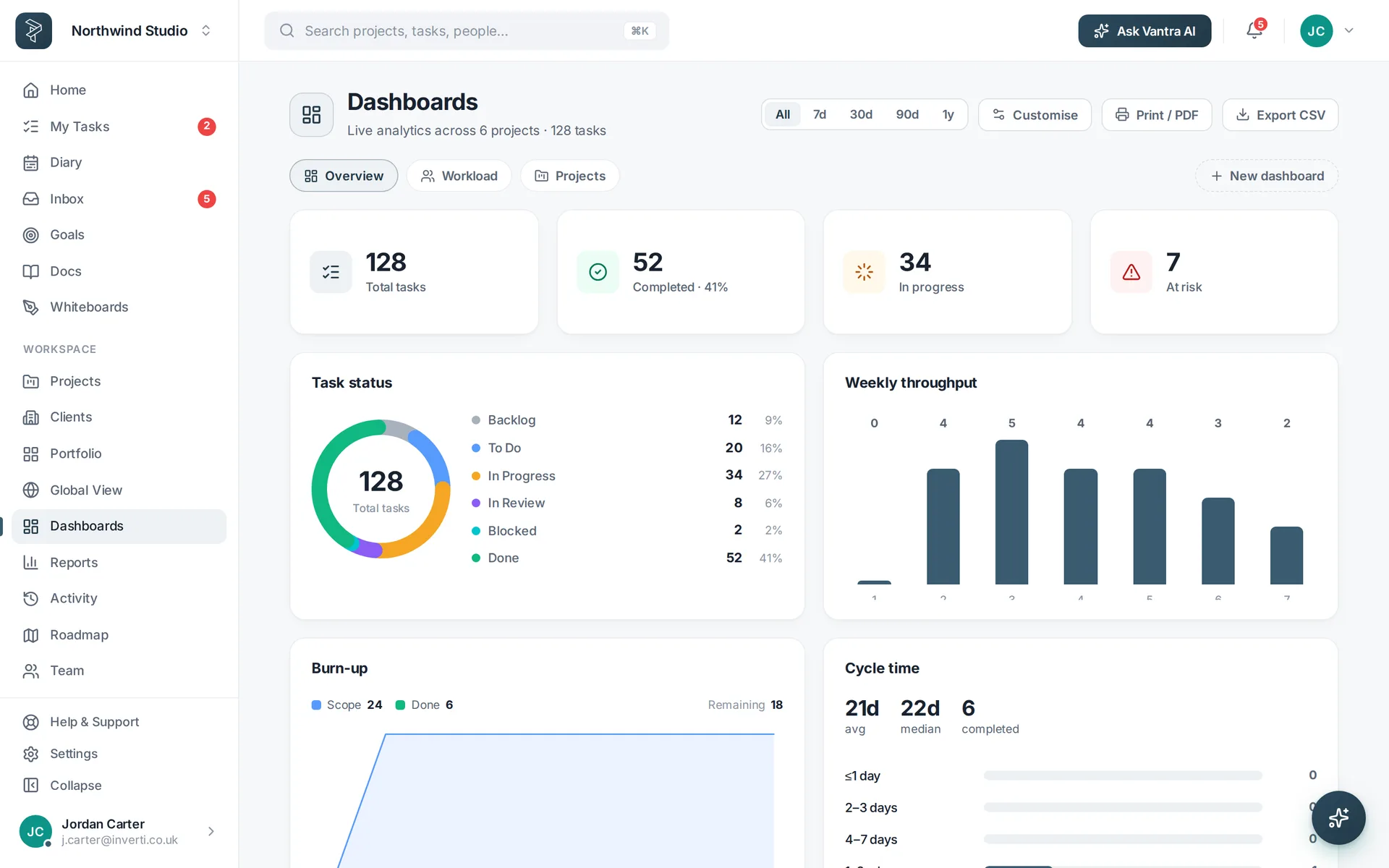
A dashboard rolling up tasks, time and progress from across the workspace.
Depth without the sprawl

All-in-one that doesn't feel all-in-one

Being in one place doesn't mean cutting corners. Each area goes properly deep — it just happens to sit next to everything else instead of in another tab.

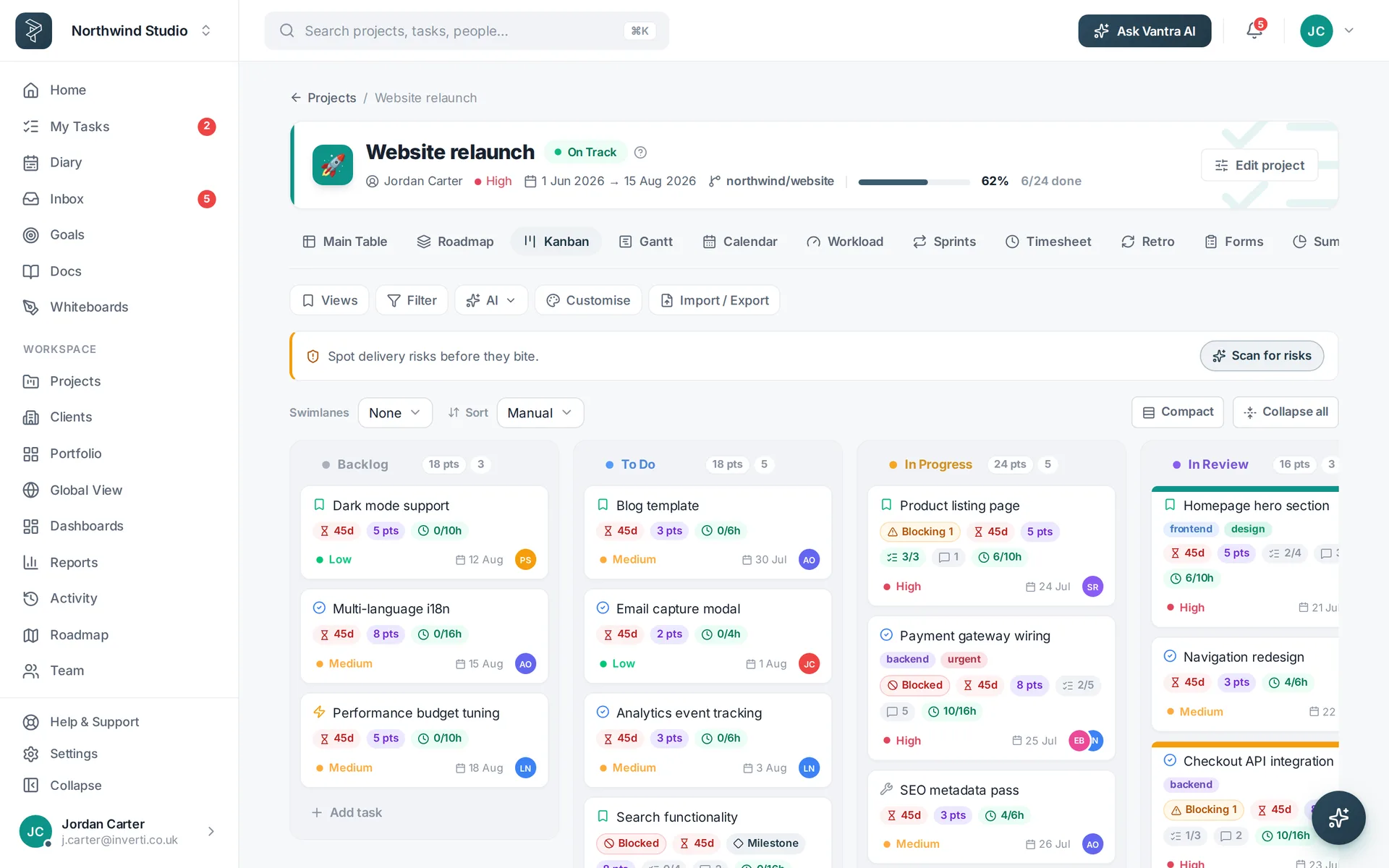
  • Eleven views of the same tasks — board to Gantt to workload
  • Twenty-eight dashboard widgets and six report templates
  • Nine AI tools grounded in your live work
Explore work views
A Kanban board with swimlanes, WIP limits and rich task cards.
AI that knows your work

A co-pilot, not a bolt-on chatbot

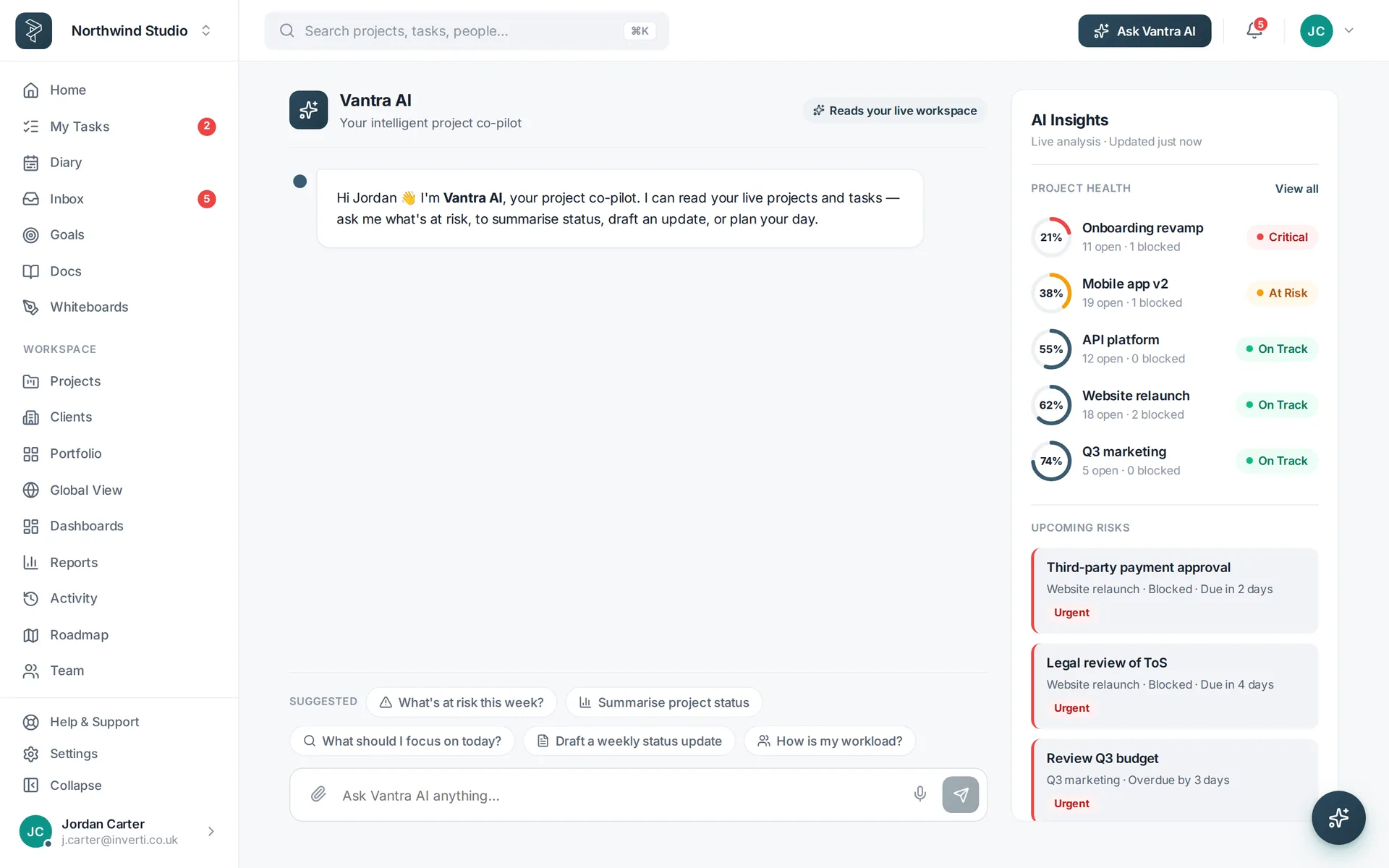
Vantra AI reads your live projects and tasks, so its answers are about your plan — what's slipping, what to do today — not generic advice pulled from the internet.

  • Grounded in your real projects, tasks and health
  • Proposes, you approve — nothing changes without a click
  • Bring your own key — the rest of the app works with or without it
Meet Vantra AI
The Vantra AI co-pilot answering questions about live project risk.
What you get by consolidating

Fewer tools, more done

The quiet wins of running the whole job in one workspace.

Nothing to sync

One data model means a change shows up everywhere at once — no brittle integrations between tools.

Honest, per-seat pricing

A 30-day free trial, then a flat per-seat price. No modules to unlock, no surprise add-ons.

Move over in an afternoon

Import from CSV, start from a template, and keep your old tools running while you switch.

The honest comparison

How we stack up

Deliberately high-level and fair — packaging changes often, so always check the current pricing pages.

Vantra Projectsmonday.comZoho ProjectsAsana
Every view included on one planAll 11 viewsGated by tierGated by editionGated by tier
Docs, whiteboards & tasks in one productBuilt inSplit across surfacesSeparate Zoho appsNotes & add-ons
AI assistantIncluded — your own keyCredits & tiersPaid tiersPaid tiers
Time tracking & timesheetsIncludedHigher tiersVaries by editionHigher tiers
Share with clients by linkRoadmap, docs & formsGuest seats by tierClient users by editionGuests by tier
One flat per-seat priceNo modules or add-onsProducts & 5 tiersEditions & appsTiers & add-ons

Based on each vendor's publicly listed plans and packaging as of July 2026; features and limits vary by tier and change frequently — always confirm on their pricing pages. All product names and trademarks are the property of their respective owners.

Judge for yourself — see our pricing or open the live demo →
Deeper dives: vs monday.com · vs Zoho Projects · vs Asana

How to switch

Move your work over in three steps

Import what you have

Bring tasks in from CSV, or start from a ready-made template.

Set it up your way

Shape statuses, fields and views to match how your team actually works.

Run it all in one place

Plan, track, report and collaborate without leaving the workspace.

FAQ

Questions about switching

What makes Vantra Projects different?

It's one workspace instead of a stack you stitch together — tasks, docs, dashboards, time, goals and AI all share the same data, so nothing has to sync between tools.

Do I have to give up depth for an all-in-one?

No. Each area goes deep — eleven views, twenty-eight dashboard widgets, nine AI tools — they just happen to live in one place instead of five.

How hard is it to move over?

Import from CSV, start from a template, and rebuild your setup in an afternoon. Your existing tools keep working while you switch.

Is the AI actually useful, or a gimmick?

It's grounded in your live workspace, so it answers about your plan — what's at risk, what to do today — not generic advice. Add your own OpenAI key to switch it on.

Live demo

Try it before you even sign up

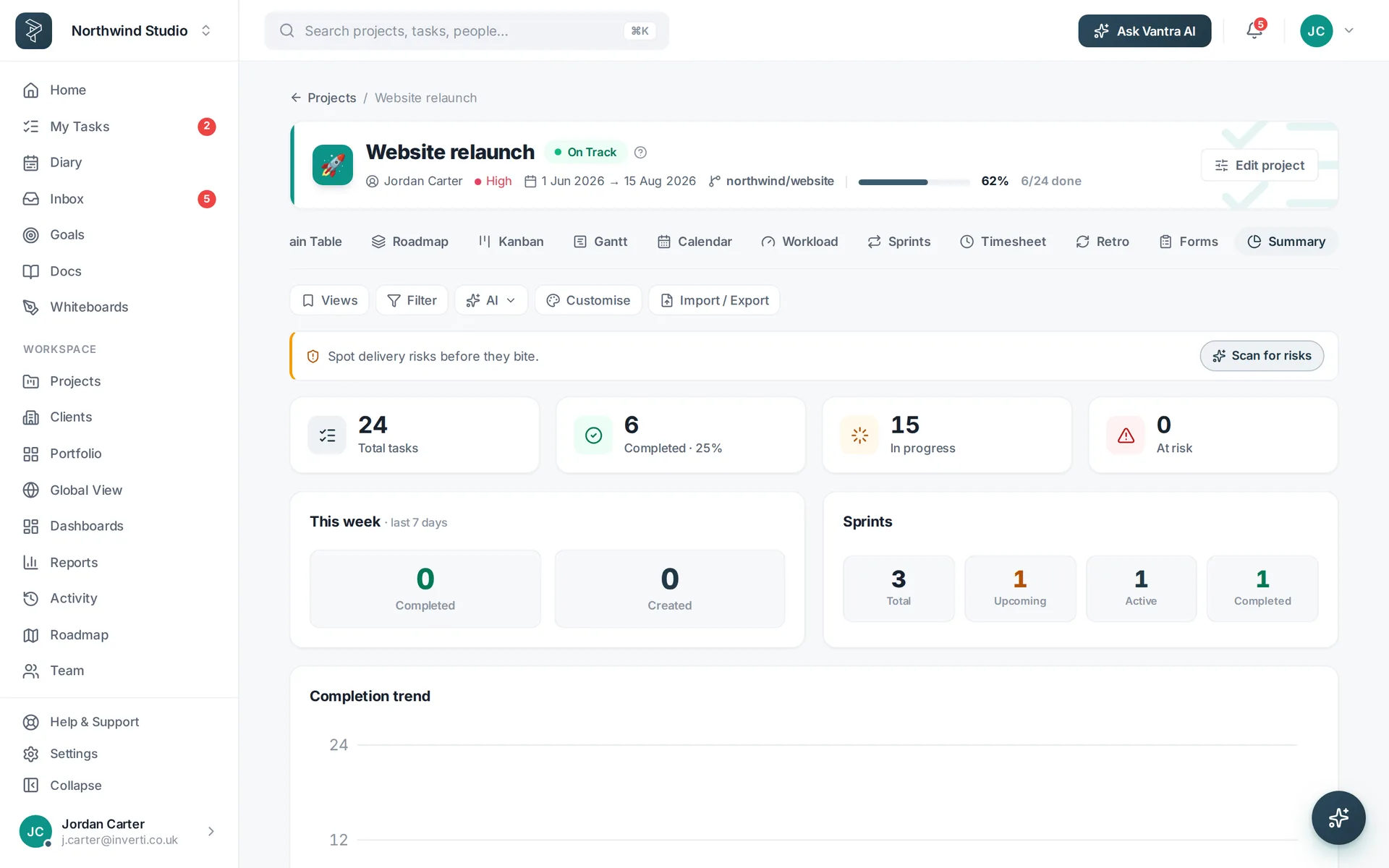
The full Vantra Projects app, seeded with a working project — open it in your browser and click anything.

  • A real project to explore — board, Gantt, calendar, docs & dashboards
  • No account, no email — nothing to install, nothing to configure
  • Exit anytime — it runs in your browser and leaves nothing behind

Opens instantly — no sign-up, no credit card.

Demo workspaceNorthwind Studio — click anything
The Vantra Projects board view in the demo workspace.
Click to explore

Give your team one place to work.

Everything in one workspace, on one set of data — free to start, and yours to shape.

Vantra Projects